Setting up the display | 37
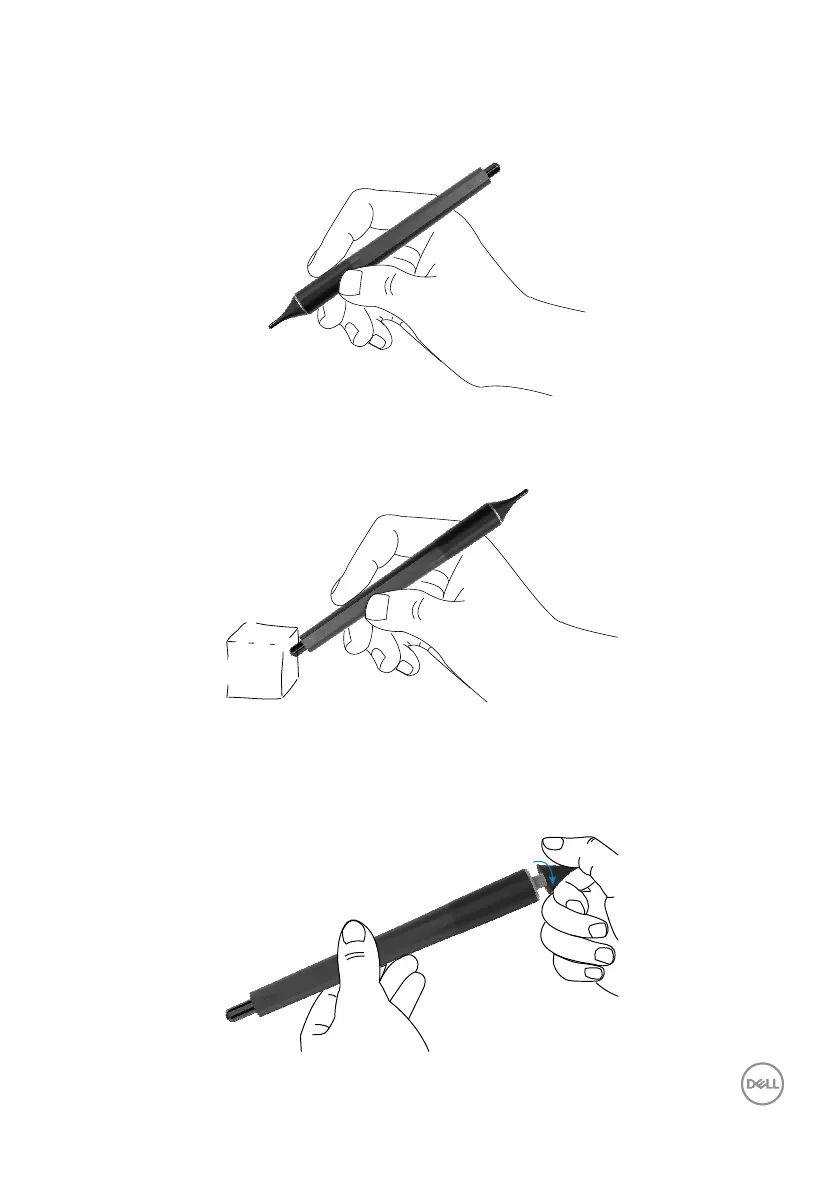
Stylus writing nib and Erase nib
The smaller diameter tip is meant for writing on the display screen. Hold the stylus
similar as to how one would hold a white board marker.
The bigger diameter tip is recognized as an erasing feature, it works similar to how a
pencil with an eraser end functions.
Replacing the stylus nib
When the smaller diameter tip shows signs of wear and tear it can be replaced by
unscrewing the front tip.



 To Next Page