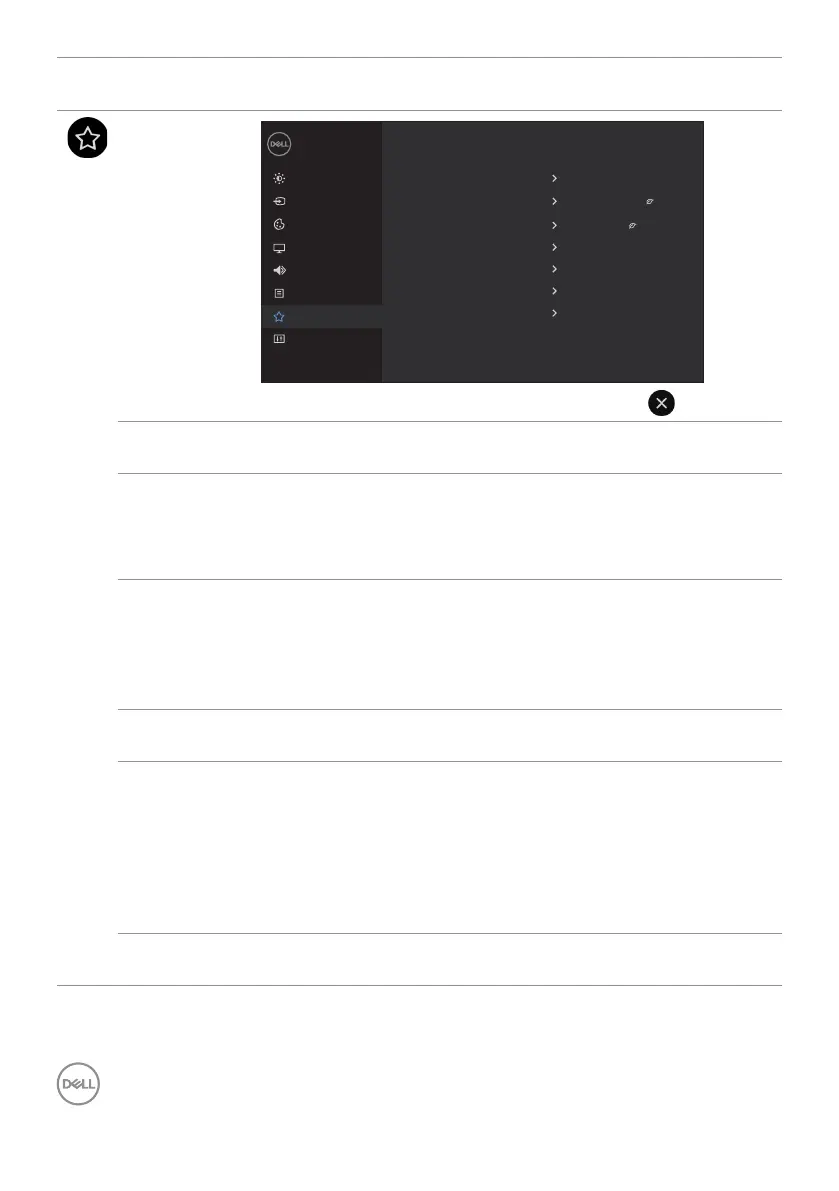
48 | Operating the display
Icon Menu and
Submenus
Description
Personalize
Brightness/Contrast
Dell 65 Monitor
Others
Color
Display
Input Source
Audio
Menu
Personalize
Power Button LED
USB-A Charging
Screen Drop Down Level
On in On Mode
O in Standby Mode
USB-C Charging
O in O Mode
1/2 screen
Monitor Sleep
On
Screen O Color
White
Wake On Touch
O
Reset Personalization
Power
Button LED
Allows you to set the state of the power light to save energy.
USB-A
Charging
Allows you to enable or disable USB Type-A Downstream
Ports charging function during monitor standby mode.
NOTE: This option was previously called “USB” in older
monitor firmware revisions.
USB-C
Charging
Allows you to enable or disable Always On USB Type-C
Charging function during monitor Power Off mode.
NOTE: Enabling this option on the monitor allows you to
charge your notebook through the USB Type-C cable (C to
C) even when the monitor is powered off.
Monitor
Sleep
Select Off to turn off this feature.
Screen Drop
Down Level
Allows you to set the Screen Drop Down level so that you can
reach the top of the image.
Drop Down Level Options:
- 1/2 Screen
- 1/3 Screen
- 2/3 Screen
Screen Off
Color
Allows you to set the Screen Off Color to White or black.



 To Next Page