Solid-state drive
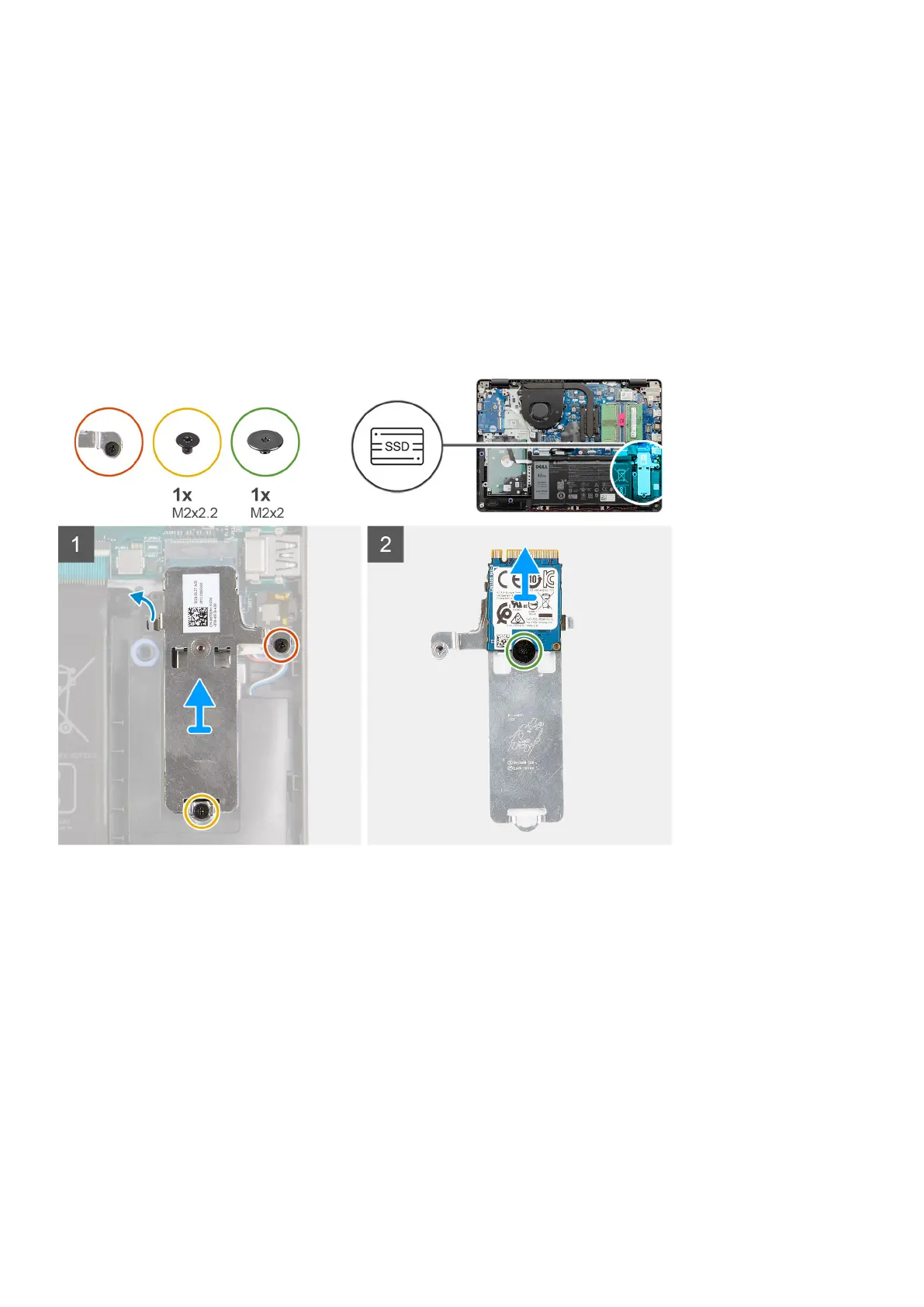
Removing the M.2 2230 Solid-state drive
Prerequisites
1. Follow the procedure in before working inside your computer.
2. Remove the SD card.
3. Remove the base cover.
4. Disconnect the battery cable.
About this task
Steps
1. Remove the single (M2x2.2) screw and loosen the single captive screw, securing the SSD thermal plate to the palmrest, to
lift it out of the system.
2. Turn the thermal plate over and remove the single (M2x2) screw securing the M.2 2230 SSD to the thermal plate.
3. Lift the solid-state drive off the thermal plate.
Installing the M.2 2230 Solid-state drive
Prerequisites
If you are replacing a component, remove the existing component before performing the installation procedure.
34
Disassembly and reassembly









 To Next Page