About this task
Steps
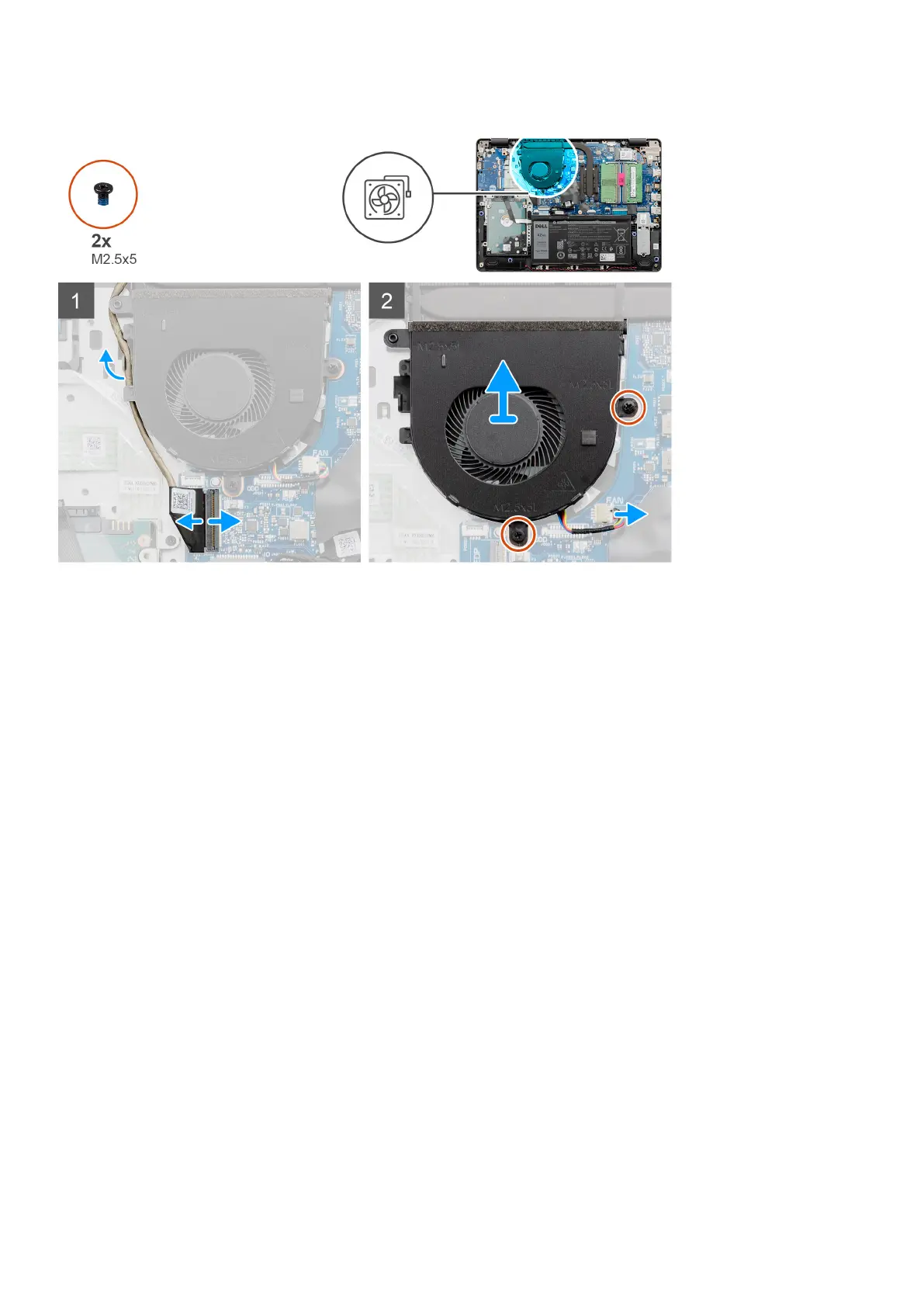
1. Disconnect the fan cable from the connector on the system board and unthread the cable from the routing points on the fan
assembly.
2. Remove the two screws (M2.5x5) that secures the fan to the palmrest.
Installing the system fan
Prerequisites
If you are replacing a component, remove the existing component before performing the installation procedure.
42
Disassembly and reassembly






 To Next Page