About this task
Steps
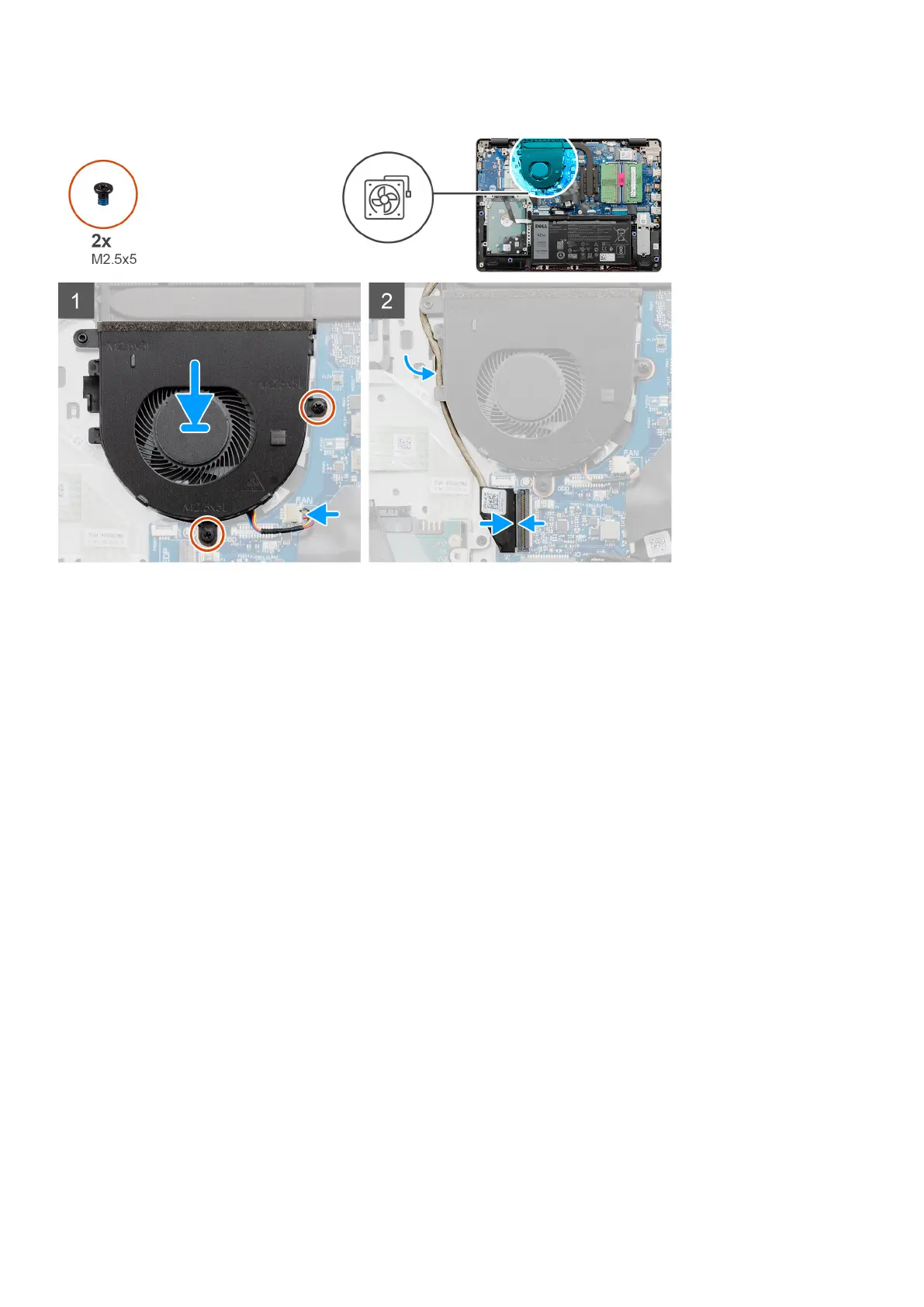
1. Align and place the fan on the palm rest.
2. Replace the two screws (M2.5x5) that secure the fan to the palmrest.
3. Route the display cable thought the routing points on the fan assembly, and connect the fan cable to the connector on the
system board .
Next steps
1. Reconnect the battery cable.
2. Replace the base cover.
3. Replace the SD card.
4. Follow the procedure in after working inside your computer.
Heat sink
Removing the Heatsink - UMA
Prerequisites
1. Follow the procedure in before working inside your computer.
2. Remove the SD card.
3. Remove the base cover.
4. Disconnect the battery cable.
Disassembly and reassembly
43






 To Next Page