Steps
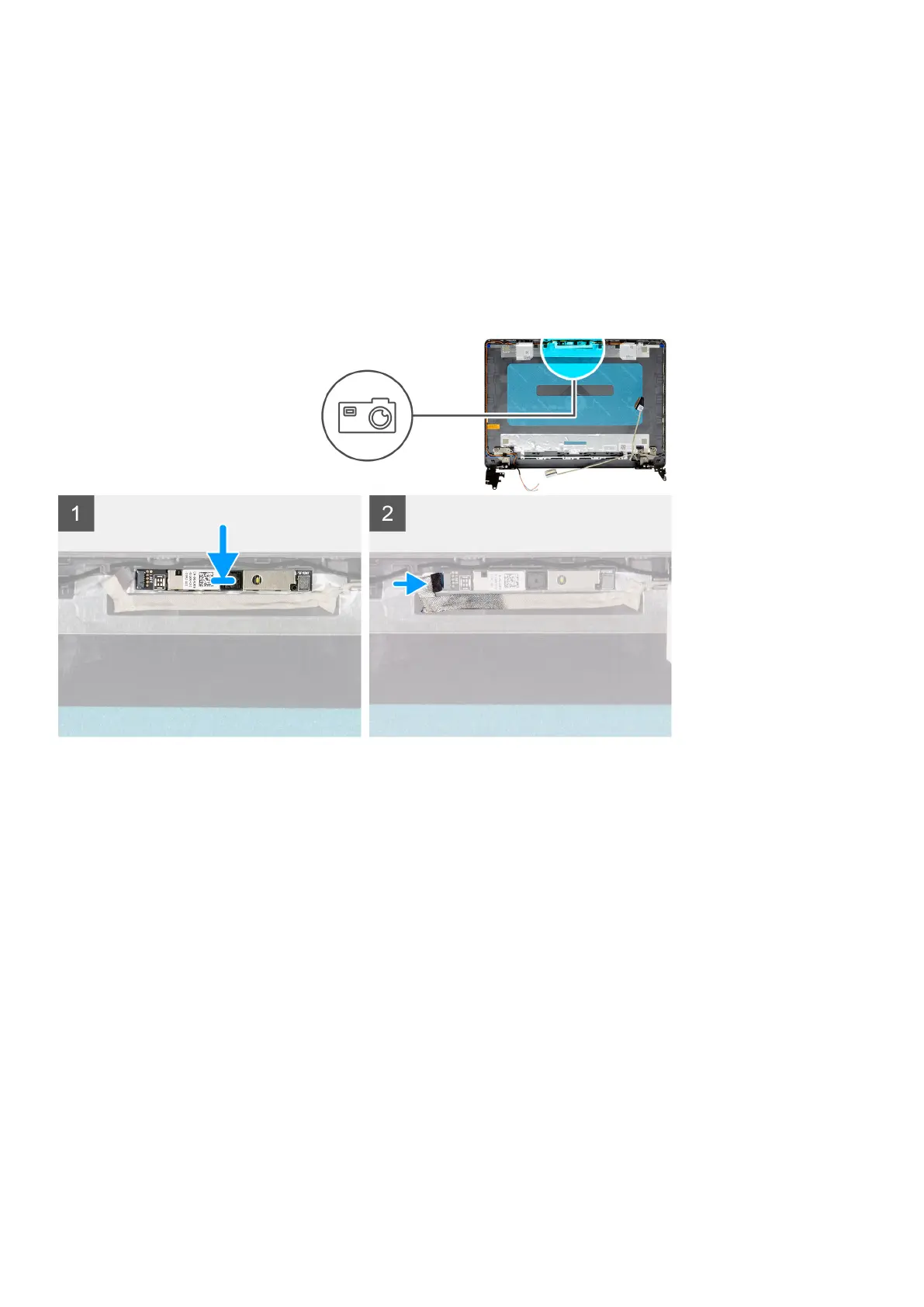
1. Disconnect the camera cable from the camera module.
2. Using a plastic scribe, gently pry the camera off the display back-cover and antenna assembly.
Installing the camera
Prerequisites
If you are replacing a component, remove the existing component before performing the installation procedure.
About this task
Steps
1. Using the alignment post, adhere the camera module on the display back-cover and antenna assembly.
2. Connect the camera cable to the camera module.
Next steps
1. Install the display panel.
2. Install the display bezel.
3. Install the display assembly.
4. Install the WLAN.
5. Connect the battery cable.
6. Install the base cover.
7. Install the SD card.
8. Follow the procedure in after working inside your computer.
Disassembly and reassembly
65






 To Next Page