Item Control/Feature Icon Description
16 Mini-SAS port A Back-end expansion port A
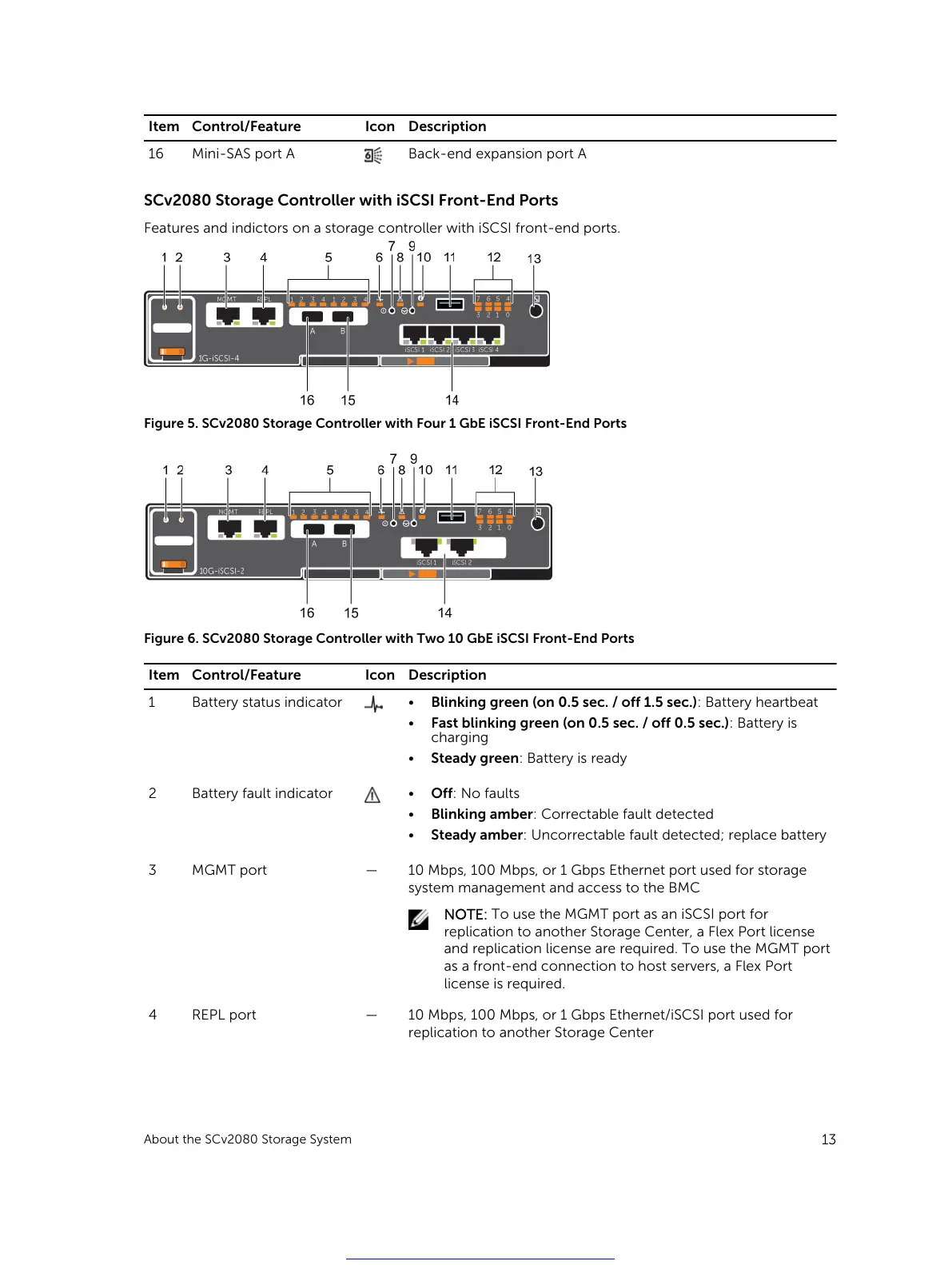
SCv2080 Storage Controller with iSCSI Front-End Ports
Features and indictors on a storage controller with iSCSI front-end ports.
Figure 5. SCv2080 Storage Controller with Four 1 GbE iSCSI Front-End Ports
Figure 6. SCv2080 Storage Controller with Two 10 GbE iSCSI Front-End Ports
Item Control/Feature Icon Description
1 Battery status indicator
• Blinking green (on 0.5 sec. / off 1.5 sec.): Battery heartbeat
• Fast blinking green (on 0.5 sec. / off 0.5 sec.): Battery is
charging
• Steady green: Battery is ready
2 Battery fault indicator
• Off: No faults
• Blinking amber: Correctable fault detected
• Steady amber: Uncorrectable fault detected; replace battery
3 MGMT port — 10 Mbps, 100 Mbps, or 1 Gbps Ethernet port used for storage
system management and access to the BMC
NOTE: To use the MGMT port as an iSCSI port for
replication to another Storage Center, a Flex Port license
and replication license are required. To use the MGMT port
as a front-end connection to host servers, a Flex Port
license is required.
4 REPL port — 10 Mbps, 100 Mbps, or 1 Gbps Ethernet/iSCSI port used for
replication to another Storage Center
About the SCv2080 Storage System
13
Get other manuals https://www.bkmanuals.com





 To Next Page