Assigning QuickDeploy IP Address to Servers
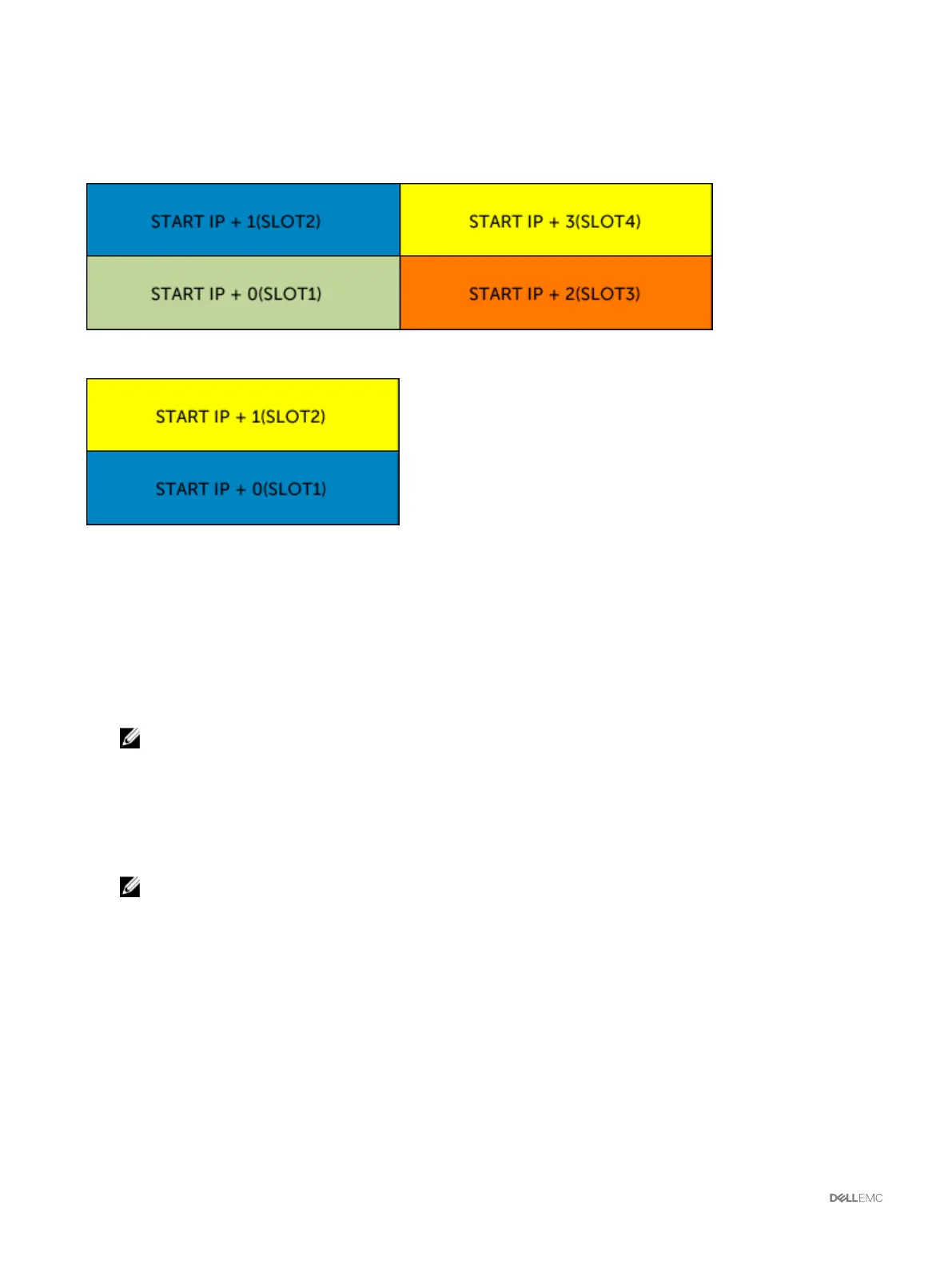
The gure here shows the QuickDeploy IP addresses assignment to the servers when there are four half-height servers in VRTX
chassis:
The following gure shows the QuickDeploy IP addresses assignment to the servers when there are two full-height blades in VRTX
chassis:
Modifying iDRAC Network Settings for Individual Server iDRAC
Using this feature, you can congure the iDRAC network congurations settings for each installed server. The initial values displayed
for each of the elds are the current values read from the iDRAC. To use this feature, you must have an Enterprise License.
To modify the iDRAC Network Settings:
1. In the left pane, click Server Overview, and then click Setup. On the Deploy iDRAC page the iDRAC Network Settings
section lists the iDRAC IPv4 and IPv6 network conguration settings of all the installed servers.
2. Modify the iDRAC network settings as required for the server(s).
NOTE: You must select the Enable LAN option to specify the IPv4 or IPv6 settings. For information about the elds,
see the
Online Help
.
3. To deploy the setting to iDRAC, click Apply iDRAC Network Settings. Any changes made to the QuickDeploy Settings are also
saved.
The iDRAC Network Settings table reects future network conguration settings; the values shown for installed servers may
or may not be the same as the currently installed iDRAC network conguration settings. Click Refresh to update the iDRAC
Deploy page with each installed iDRAC network conguration settings after changes are made.
NOTE: Changes made to QuickDeploy elds are immediate, but changes made to one or more iDRAC server network
conguration settings may require a couple of minutes to propagate from CMC to iDRAC. Clicking Refresh too soon
may display only partially correct data for a one or more iDRAC servers.
Modifying iDRAC Network Settings Using RACADM
RACADM config or getconfig commands support the -m <module> option for the following conguration groups:
• cfgLanNetworking
• cfgIPv6LanNetworking
• cfgRacTuning
• cfgRemoteHosts
• cfgSerial
94



 To Next Page