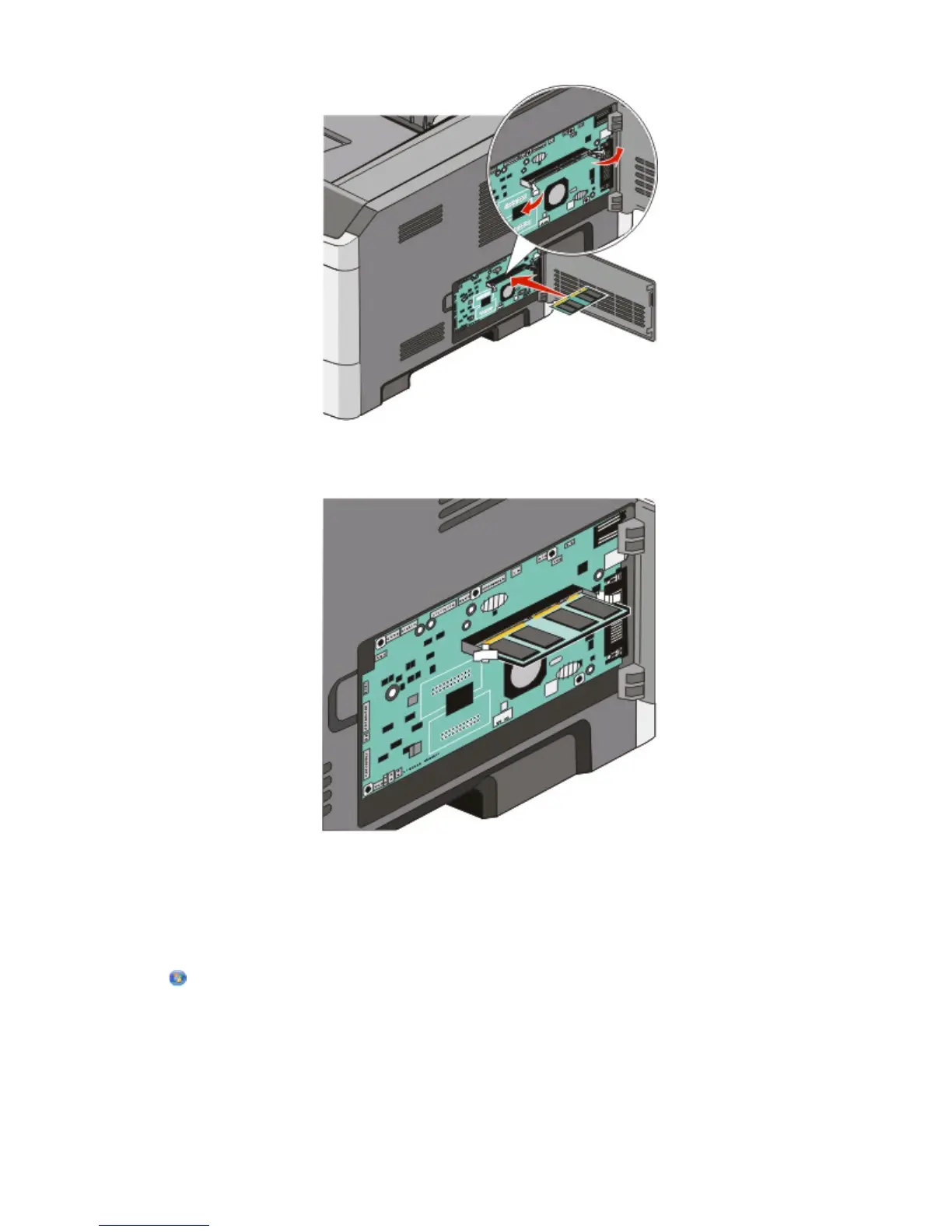
6 Push the memory card into the connector until the latches snap into place.
It may require some force to fully seat the card.
7 Ensure that each latch fits over the notch on each end of the card.
8 Close the system board door.
9 Turn the printer back on.
10 In Windows Vista
®
:
a Click Control Panel.
b Click Hardware and Sound.
c Click Printers.
Additional printer setup
35












 To Next Page