Interpreting the printer control panel
lights
Understanding the printer control panel light
sequences
Understanding the primary light sequences
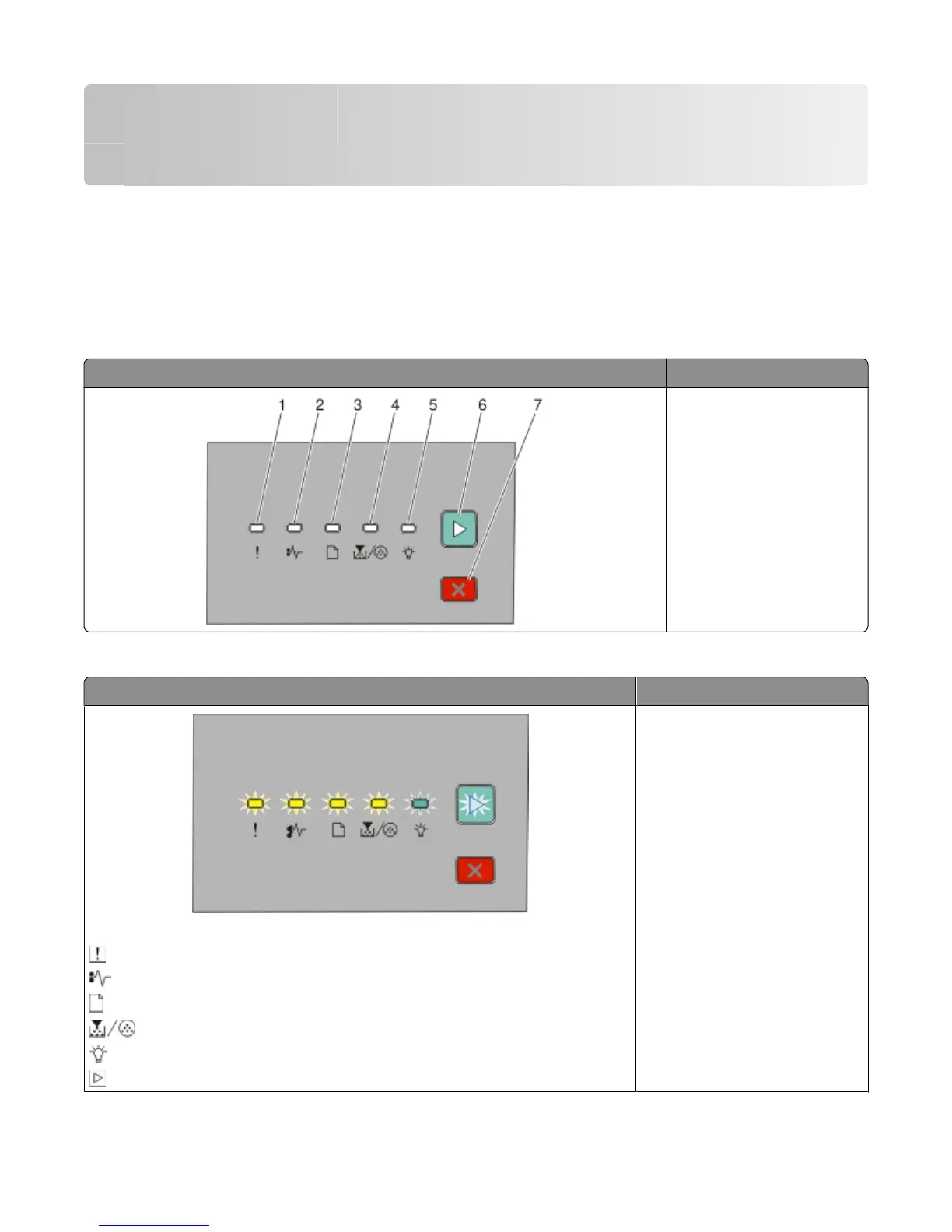
Printer control panel Lights and buttons
1 Error
2 Jam
3 Load paper
4 Toner
5 Ready
6 Continue
7 Stop
The printer control panel features six lights and two buttons. The lights can be on, off, blinking, or blinking slowly.
Light sequence What you can do
Service Error
- Blinking
- Blinking
- Blinking
- Blinking
- Blinking
- Blinking
Turn the printer off and then on
again. If the lights are still blinking,
contact Dell at support.dell.com.
Interpreting the printer control panel lights
39












 To Next Page