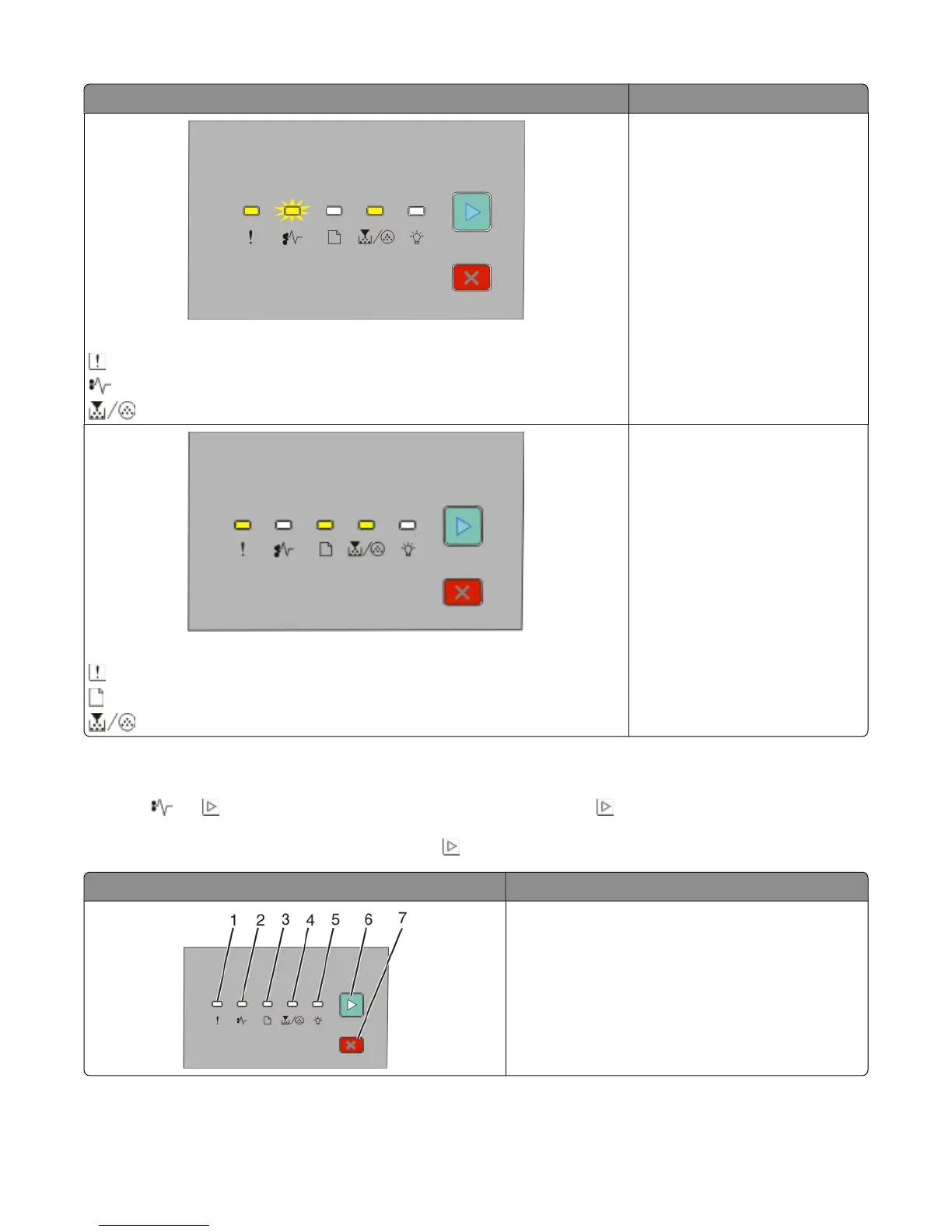
Light sequences What you can do
Replace missing or defective cartridge
- On
- Blinking
- On
Replace the toner cartridge. For
more information, see “Replacing
the toner cartridge” on page 89.
Cartridge part number not supported by device
- On
- On
- On
Remove the toner cartridge and
replace it with a supported toner
cartridge. For more information, see
“Replacing the toner cartridge” on
page 89.
Understanding the secondary paper jam light sequences
When the and lights are on, a paper jam has occurred. Press and release twice quickly to display the secondary
jam light sequence which can help pinpoint the site of the jam. Be sure to check all areas of the printer to ensure all
the paper is removed. Once the jam is cleared, press
to continue printing.
Printer control panel Lights and buttons
1 Error
2 Jam
3 Load paper
4 Toner
5 Ready
6 Continue
7 Stop
Interpreting the printer control panel lights
50












 To Next Page