Accessing jam areas
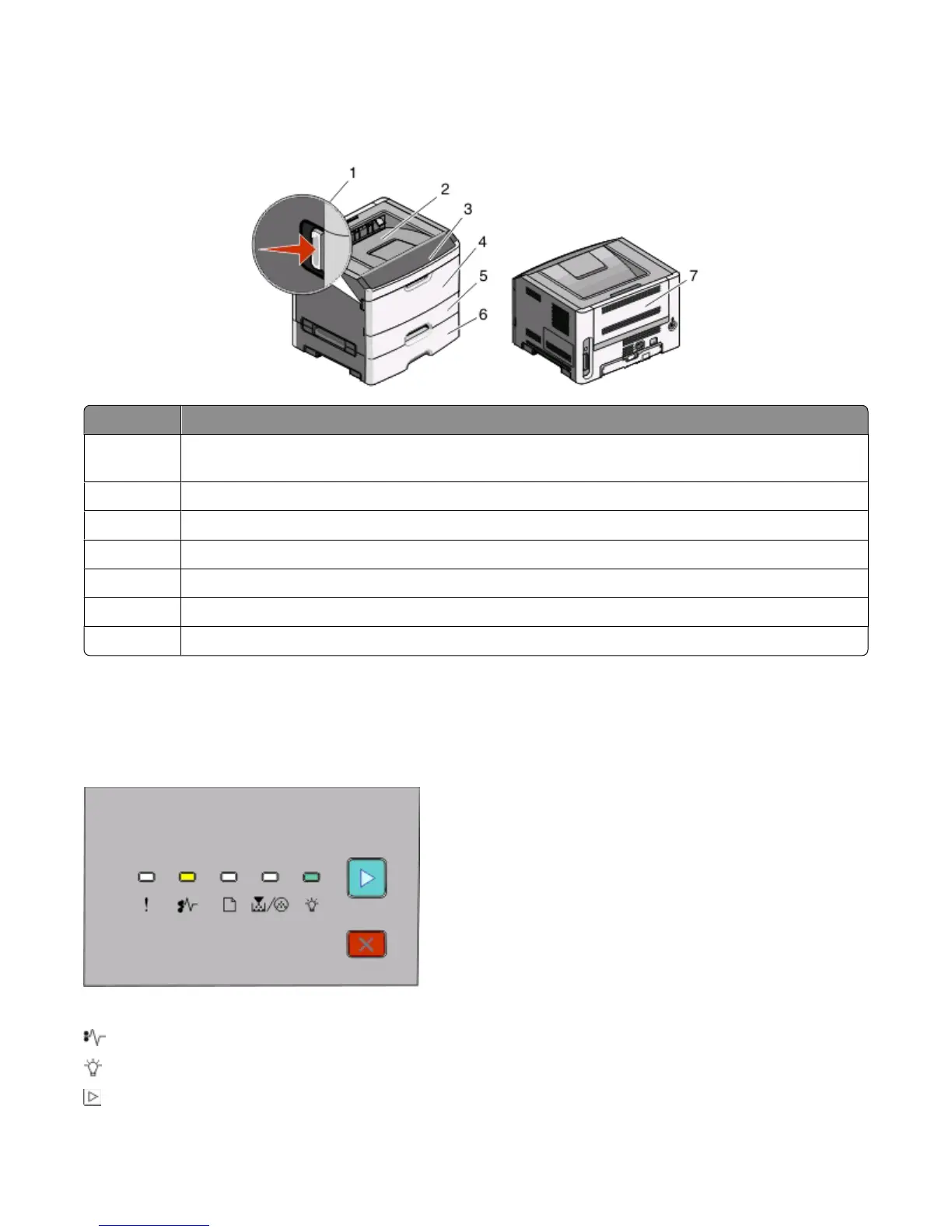
Open doors and remove trays to access jam areas. The following illustration shows possible jam areas:
Access point Description
1
Push button to open the front door. Inside this door is the unit housing the toner cartridge and
photoconductor kit.
2
Standard exit bin
3
Front door
4
Manual feeder door
5
Standard 250-sheet tray (Tray 1)
6 Optional tray (Tray 2)
7
Rear door
Understanding jam lights and access locations
The following table lists the jam lights and messages and provides brief instructions for how to access each jam. More
detailed instructions follow.
200.yy Paper jam
- On
- On
- On
Clearing jams
98












 To Next Page