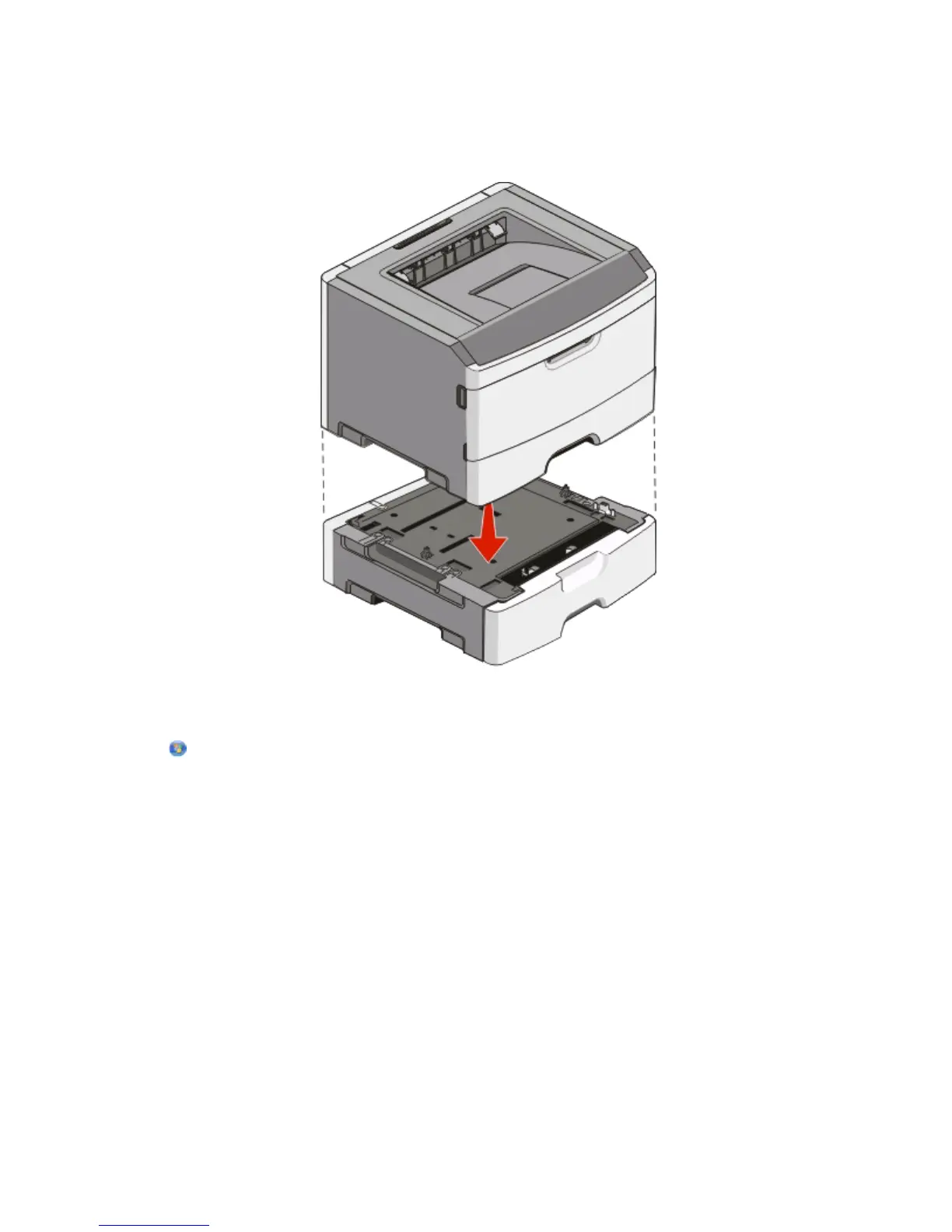
5 Insert the tray into the support unit.
6 Place the drawer in the location chosen for the printer.
7 Align the holes in the printer with the positioning posts on the drawer, and lower the printer into place.
8 Turn the printer back on.
9 In Windows Vista
®
:
a Click Control Panel.
b Click Hardware and Sound.
c Click Printers.
In Windows
®
XP and 2000:
a Click Start Control Panel.
b Double-click Printers and Other Hardware.
c Double-click Printers and Faxes.
10 Right-click the Dell 2230d Laser Printer icon.
11 Click Properties.
12 Click Install Options.
13 Click Ask Printer.
14 Click OK.
15 Click OK, and then close the Printers folder.
Additional printer setup
37












 To Next Page