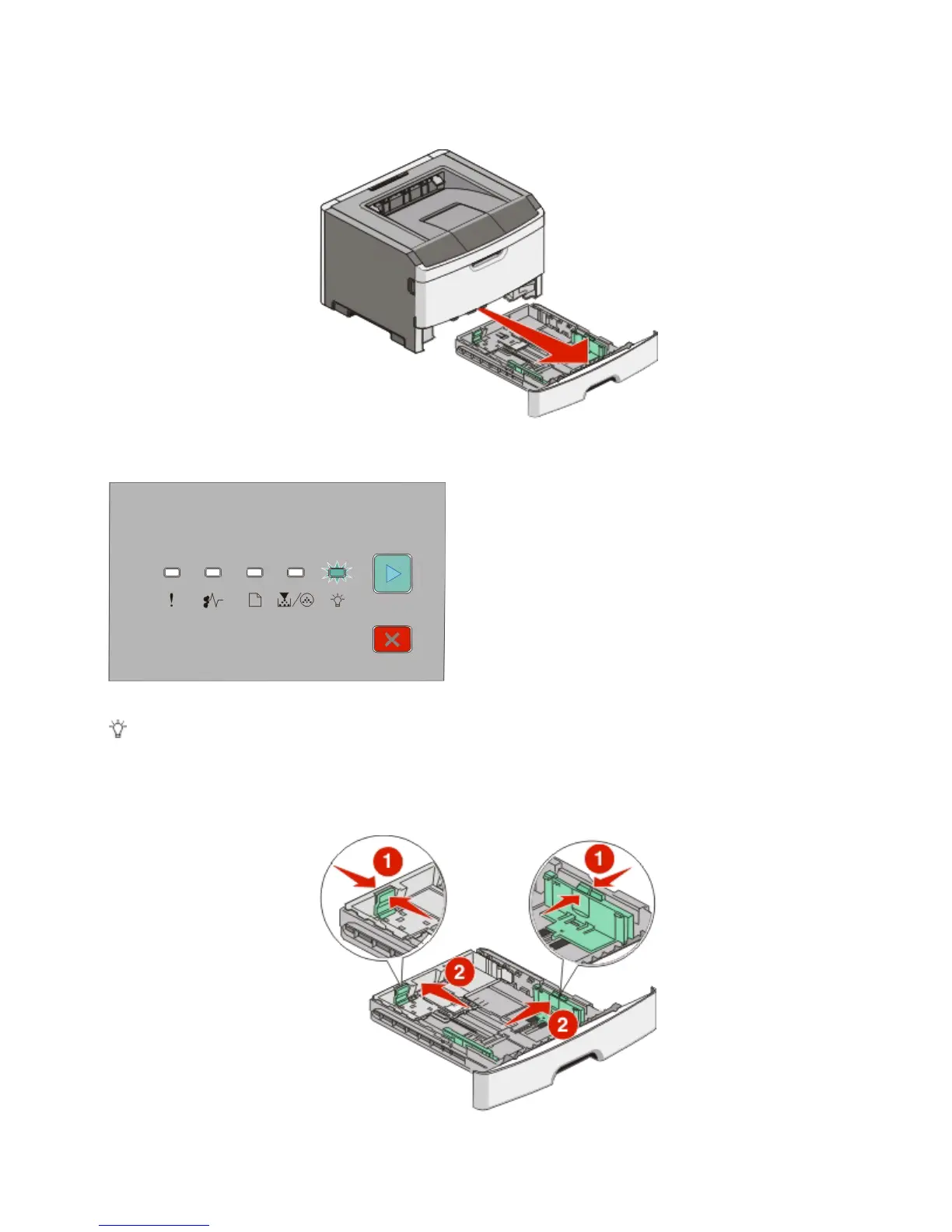
Proper paper loading prevents jams and facilitates trouble-free printing.
1 Pull the tray completely out.
Do not remove trays while a job prints or when the Busy light sequence appears on the printer control panel.
Doing so may cause a jam.
Busy
- Blinking
2 Squeeze the width guide tabs, and then slide them to the sides of the tray. The width guides move in unison.
3 Squeeze the length guide tabs together, and then slide the length guide to the correct position for the paper size
being loaded.
Loading paper and specialty media
56












 To Next Page