42 | Operating the Monitor
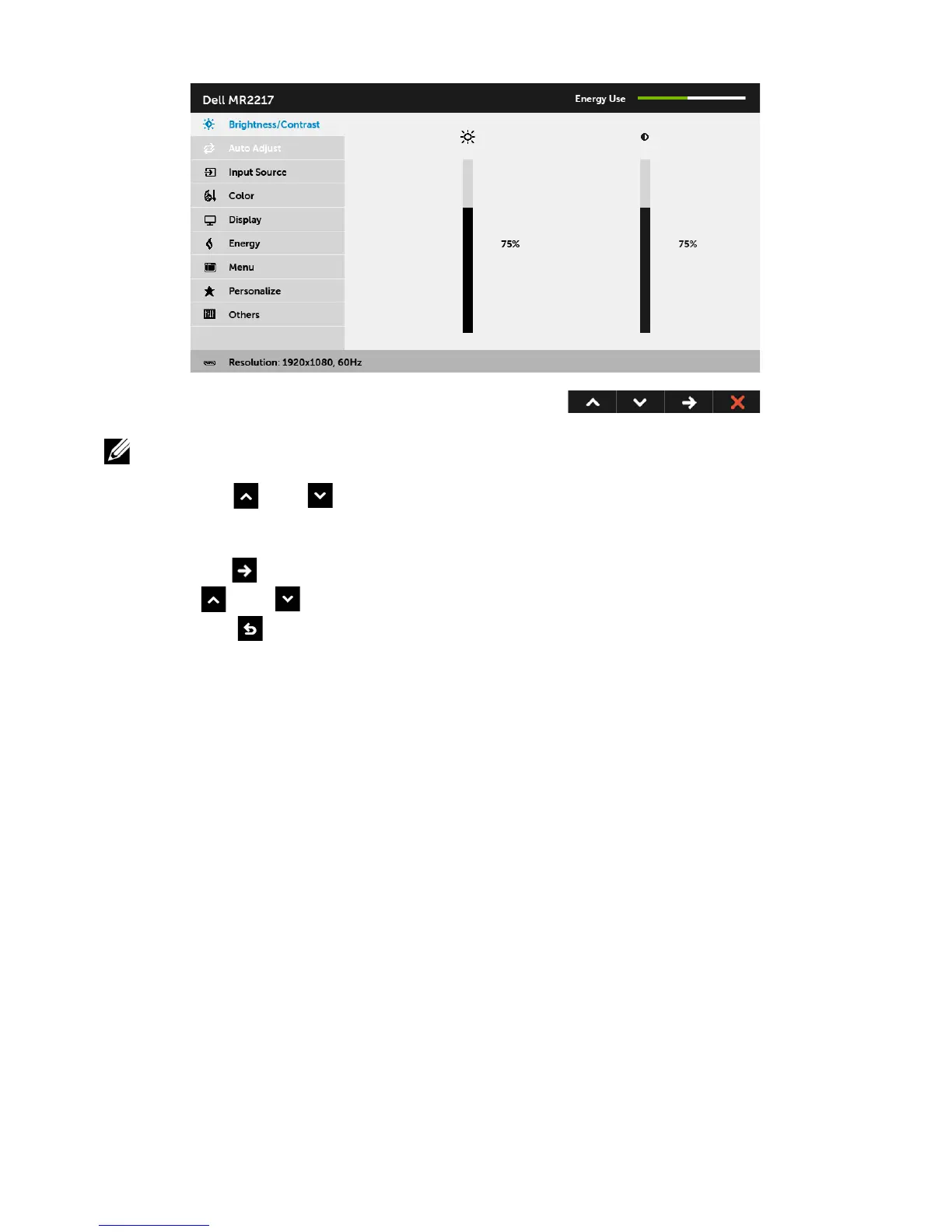
Main Menu for digital (DP) input
NOTE: Auto Adjust is only available
when you use the analog (VGA) connector.
2 Press the
and buttons to move between the setting options. As you move
from one icon to another, the option name is highlighted. See
the following table
for a complete list of all the options available for the monitor.
3 Press the
button once to activate the highlighted option.
4 Press and button to select the desired parameter.
5 Select the
button to return to the main menu.



 To Next Page