Operating the Monitor | 43
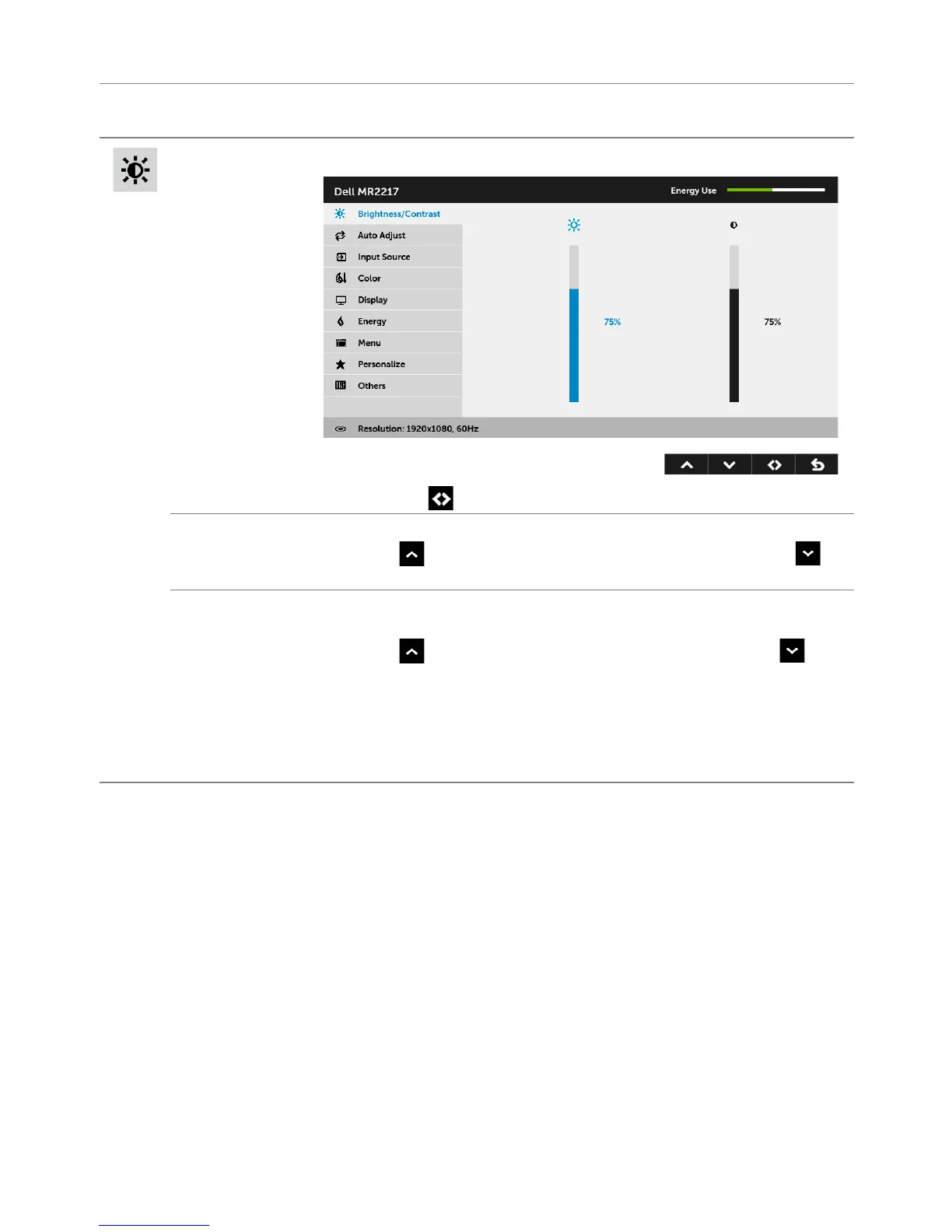
Icon Menu and
Submenus
Description
Brightness/
Contrast
Use this menu to activate Brightness/Contrast adjustment.
NOTE: Press to swtich between the options.
Brightness
Brightness adjusts the luminance of the backlight.
Press the
button to increase the brightness and press the
butto
n to decrease the brightness (min. 0 / max. 100).
Contrast
Adjust the Brightness first, and then adjust the Contrast only if further
adjustment is necessary.
Press the
button to increase the contrast and press the
butto
n to decrease the contrast (min. 0 / max. 100).
The Contrast function
adjusts the degree of difference between
darkness and lightness on the monitor screen.
NOTE: Contrast is grayed out in DICOM mode to maintain grayscale
accuracy.



 To Next Page