Setting Up the Monitor | 31
Setting Up the Monitor
WARNING: Before you begin any of the procedures in this section, follow the
Safety Instructions
.
WARNING: The monitor is to be set up only by qualified personnel.
The following sections provide information about connecting your monitor to the
computer. Please read carefully and follow the instructions given below to complete the
monitor setup.
Connecting Your Monitor
NOTE: If your computer is turned on, turn it Off and disconnect the power cable
before you start the following procedures.
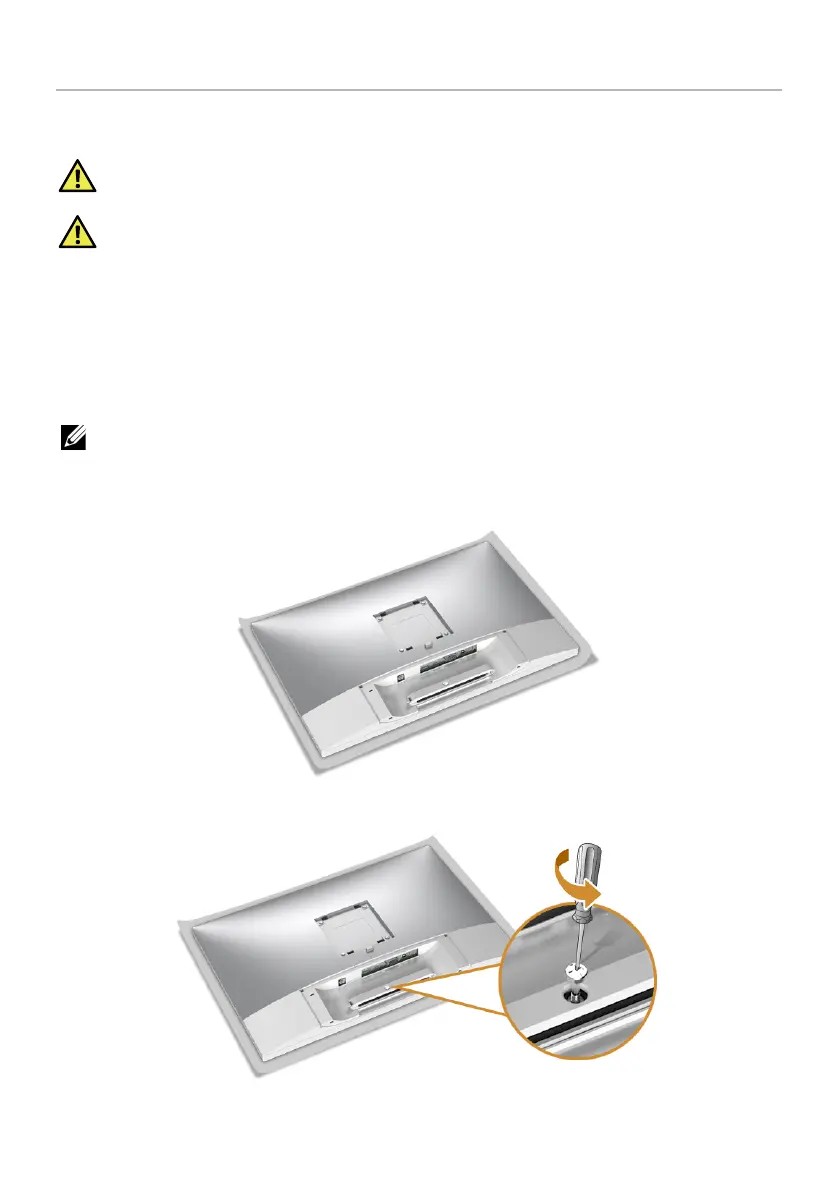
1 Remove the monitor protective cover and place the monitor with its front facing
downward on it.
2 Use a Phillips crosshead screwdriver to loose the screw securing the cable clip.








 To Next Page