Setting Up the Monitor | 33
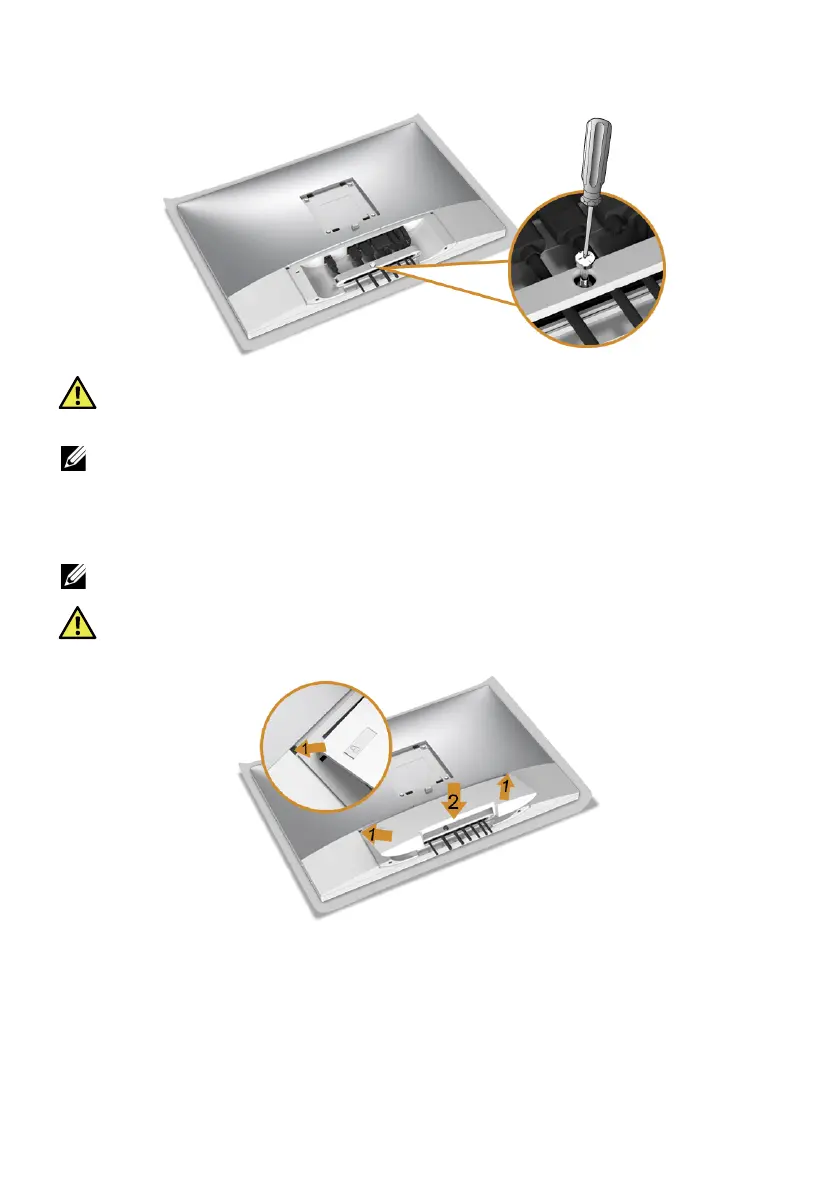
5 Tighten the cable clip screw with a Phillips crosshead screwdriver to secure all the
connected cables.
WARNING: Do not plug-in or turn-on the power to the monitor until you are
instructed to
do so.
NOTE: Read and
follow the procedures in the following sections to continue
setting up the monitor.
Attaching the Cable Cover
NOTE: The cable cover is detached when the monitor is shipped from the factory.
WARNING: Before turning on the power to the monitor, make sure the cable
co
ver is well attached.
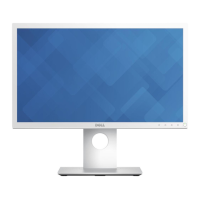
1 Fit the three tabs on the upper part of the cable cover to the groove on the back of
the monitor.
2 Press the cable cover till it snaps into place.








 To Next Page