Setting Up the Monitor | 37
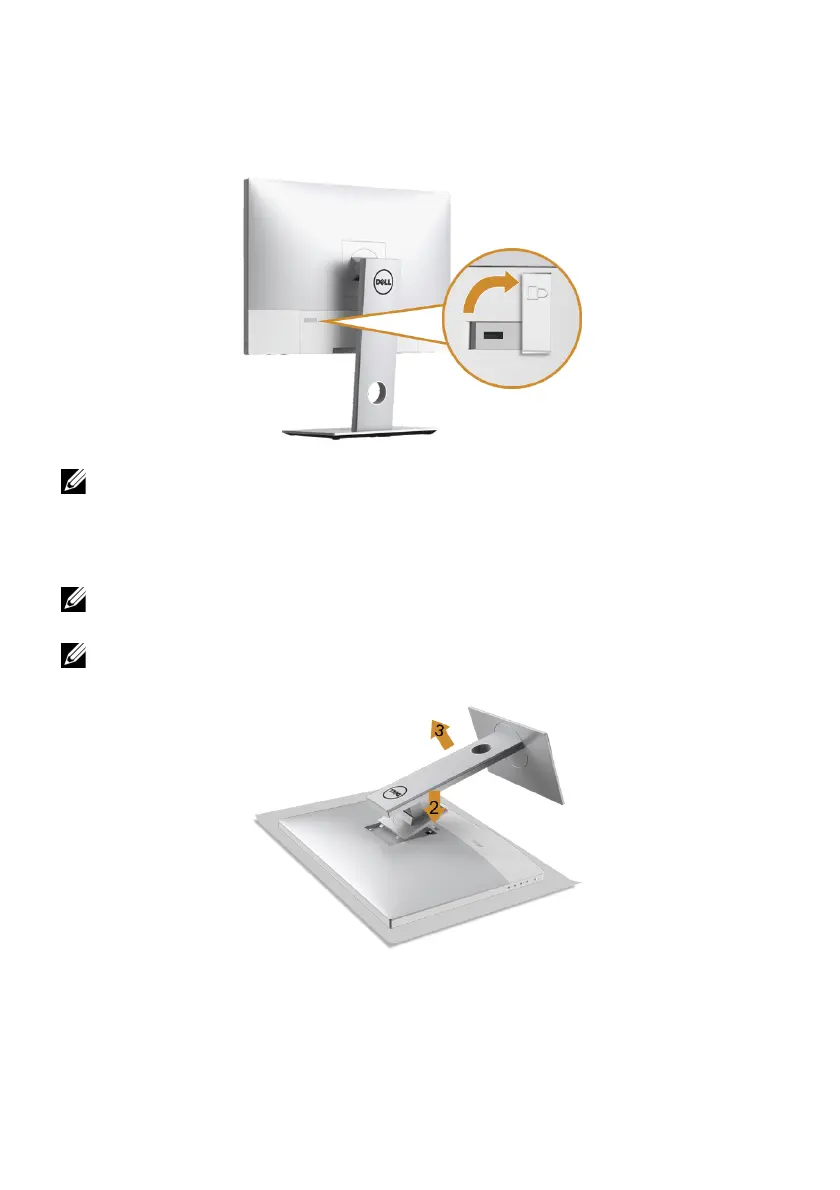
Securing Your Monitor
It is recommended that you purchase a Kensington lock to prevent theft and unwanted
access to your monitor. Before inserting the lock into the Kensington slot, please remove
the plastic strip covering the Kensington lock slot.
NOTE: Please read the user guide for the Kensington lock you purchased to learn
how to use it.
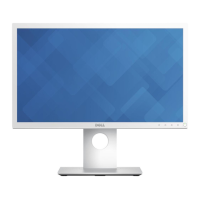
Removing the Monitor Stand
NOTE: To prevent scratches on the LCD screen while removing the stand, ensure
that the monitor is placed on a soft, clean surface.
NOTE: This is applicable for a moni
tor with a stand. When any other stand is
bought, please refer to the respective stand setup guide for the set-up instructions.
To remove the stand:
1 Place the mon
itor on a soft cloth or cushion.
2 Pr
ess and hold the stand release button.
3 Lif
t the stand up and away from the monitor.








 To Next Page