EasyManua.ls Logo

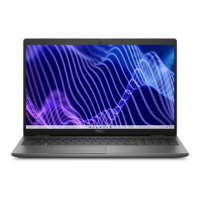
Dell NOT22366 - User Manual

Dell NOT22366
136 pages
Print Icon
To Next Page IconTo Next Page
Loading...
https://tehnoteka.rs
Uputstvo za upotrebu (EN)
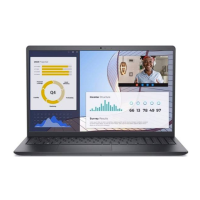
DELL laptop Vostro 3530 (NOT22366)
Tehnoteka je online destinacija za upoređivanje cena i karakteristika bele tehnike,
potrošačke elektronike i IT uređaja kod trgovinskih lanaca i internet prodavnica u Srbiji.
Naša stranica vam omogućava da istražite najnovije informacije, detaljne karakteristike
i konkurentne cene proizvoda.
Posetite nas i uživajte u ekskluzivnom iskustvu pametne kupovine klikom na link:
https://tehnoteka.rs/p/dell-laptop-vostro-3530-not22366-akcija-cena/
1 / 136

Table of Contents

Questions and Answers

  • P
    Patrick JimenezAug 28, 2025
    What to do if my Dell NOT22366 is not detecting memory/RAM?
    • C
      Craig SchultzAug 28, 2025
      If your Dell Laptop is not detecting the memory/RAM, first confirm that the memory module is correctly installed. If the problem continues, replace the memory module.
  • E
    Elizabeth EdwardsAug 28, 2025
    What to do if the memory/RAM fails on my Dell NOT22366?
    • D
      Dr. Sharon Ayers DDSAug 28, 2025
      If the memory/RAM fails on your Dell Laptop, replace the memory module.
  • C
    Christina NealSep 17, 2025
    What to do if Dell NOT22366 Laptop shows error code for BIOS Recovery image found but invalid?
    • S
      spatelSep 18, 2025
      If your Dell Laptop displays an error code indicating the BIOS Recovery image was found but is invalid, flash the latest BIOS version.
  • T
    Tracy CooperSep 23, 2025
    What to do if my Dell NOT22366 Laptop has PCI or Video card/chip failure?
    • K
      Katie GordonSep 23, 2025
      If your Dell Laptop experiences a PCI or Video card/chip failure, the recommended solution is to replace the system board.
  • D
    Danielle DavisSep 22, 2025
    What to do if my Dell NOT22366 has LCD failure (EC detection of power rail failure)?
    • M
      Mitchell JohnsonSep 22, 2025
      If your Dell Laptop's LCD fails due to EC detection of a power rail failure, you should replace the system board.
  • S
    Shawn ArmstrongSep 7, 2025
    What to do if invalid memory installed on Dell Laptop?
    • S
      Sandra TerrySep 7, 2025
      If your Dell Laptop indicates that invalid memory is installed, replace the memory module.
  • C
    christopher21Aug 29, 2025
    What to do if there is Real Time Clock (RTC) power failure on Dell NOT22366 Laptop?
    • J
      Joseph MartinezAug 29, 2025
      To resolve a Real Time Clock (RTC) power failure on your Dell Laptop, replace the battery.
  • C
    Christopher RiceAug 29, 2025
    What should I do if my Dell Laptop has invalid memory installed?
    • N
      Nicholas RomeroAug 29, 2025
      If your Dell Laptop indicates that invalid memory is installed, attempt to reset and swap the memory modules among the slots. If the problem persists, replacing the memory module might be necessary.
  • F
    fhuberAug 29, 2025
    What to do if my Dell NOT22366 has a system board failure (including BIOS corruption or ROM error)?
    • J
      jbrewerAug 30, 2025
      If your Dell Laptop is experiencing a system board failure, including BIOS corruption or a ROM error, flash the latest BIOS version. If the problem continues, the system board will need to be replaced.
  • D
    Dr. Nathan EscobarAug 30, 2025
    How to fix CPU failure on Dell Laptop?
    • S
      Sharon HartmanAug 30, 2025
      To address CPU failure on your Dell Laptop, run the Dell Support Assist/Dell Diagnostics tool. If the problem persists, replacing the system board is recommended.

Dell NOT22366 Specifications

General IconGeneral
BrandDell
ModelNOT22366
CategoryLaptop
LanguageEnglish

Related product manuals