EasyManua.ls Logo

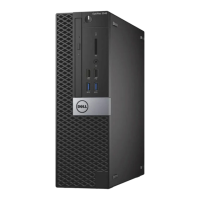
Dell OptiPlex 3046 - Mini Tower - User Manual

Dell OptiPlex 3046 - Mini Tower
45 pages
Print Icon
To Next Page IconTo Next Page
Loading...
OptiPlex 3046 - Mini Tower
Owner's Manual
Regulatory Model: D18M
Regulatory Type: D18M002

Table of Contents

Questions and Answers

  • J
    jcoleSep 12, 2025
    How to troubleshoot unexpected interrupt in protected mode on Dell OptiPlex 3046 - Mini Tower?
    • R
      Ryan RichardsonSep 12, 2025
      If you get an 'Unexpected Interrupt in Protected Mode' error on your Dell Desktop, run the System Memory tests and the Keyboard Controller test in Dell Diagnostics. Further assistance may be required.
  • V
    velasquezanthonySep 12, 2025
    What to do if drive not ready on Dell OptiPlex 3046 - Mini Tower?
    • R
      Ryan HallSep 13, 2025
      If you are getting a 'Drive Not Ready' error on your Dell Desktop, install a hard drive in the hard drive bay.
  • V
    Valerie RobertsSep 15, 2025
    Why is cache disabled due to failure on Dell OptiPlex 3046 - Mini Tower?
    • M
      Matthew WrightSep 15, 2025
      The primary cache internal to the microprocessor has failed. Contact Dell.

Dell OptiPlex 3046 - Mini Tower Specifications

General IconGeneral
Form FactorMini Tower
Processor6th Generation Intel Core i3, i5, i7
MemoryUp to 16GB
GraphicsIntegrated Intel HD Graphics
Operating SystemWindows 10 Pro, Windows 10 Home
Dimensions6.89 inches (17.5 cm)
PortsUSB 3.0, USB 2.0, HDMI, DisplayPort
Expansion Slots1 x PCIe x16, 1 x PCIe x1
Optical DriveDVD-ROM or DVD+/-RW (optional)

Related product manuals