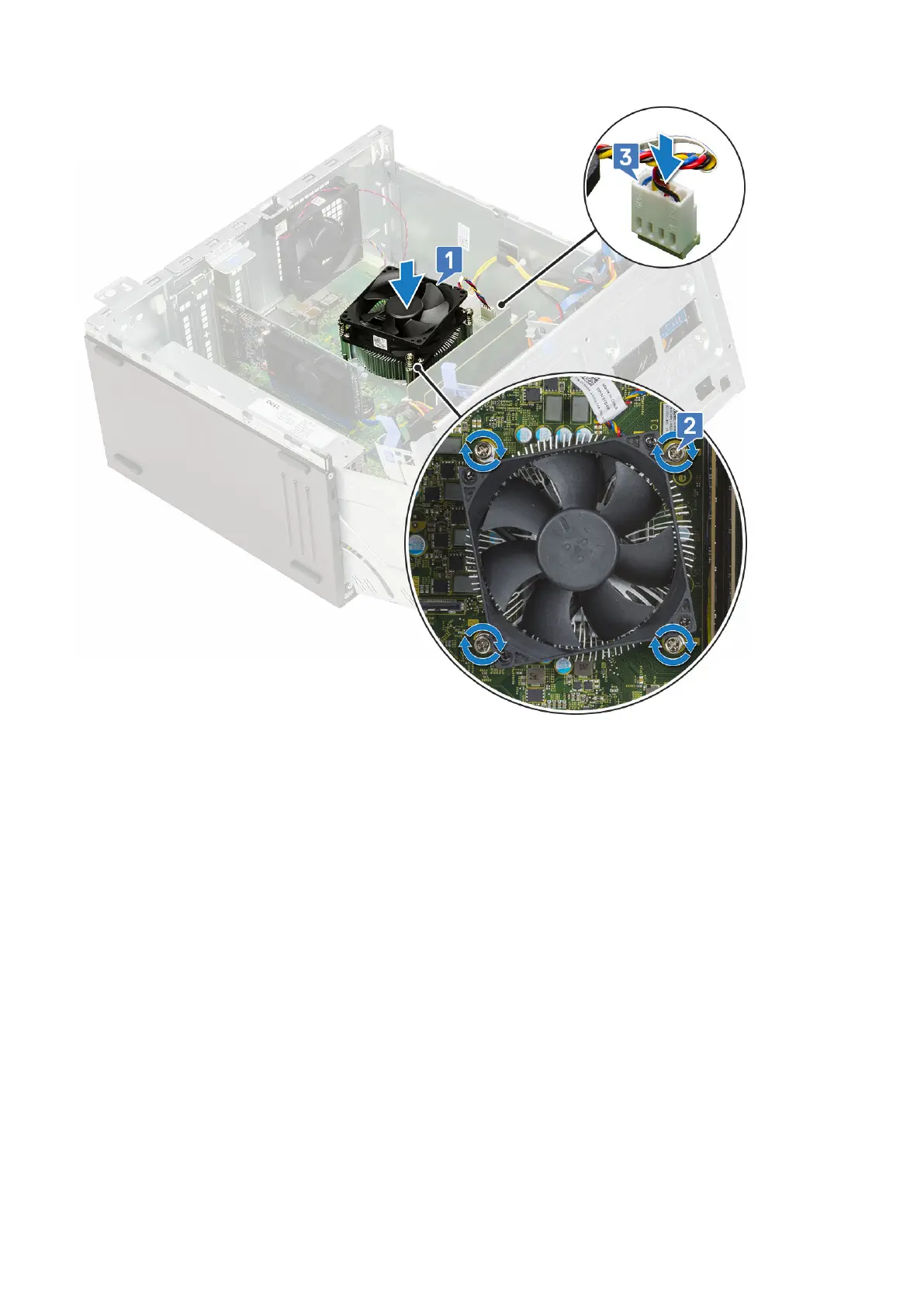
4. Close the front panel door.
5. Install the:
a. Front bezel
b. Side cover
6. Follow the procedure in After working inside your computer.
Processor
Removing processor
1. Follow the procedure in Before working inside your computer.
2. Remove the:
a. Side cover
b. Front bezel
3. Open the front panel door.
4. Remove the heatsink assembly.
5. To remove the processor:
a. Release the socket lever by pushing the lever down and out from under the tab on the processor shield [1].
b. Lift the lever upward and lift the processor shield [2].
c. Lift the processor out of the socket [3].
Removing and installing components
59











 To Next Page