Ensure that the tab on the processor cover is positioned underneath the center cover latch on the socket.
8. Pivot the socket release lever back toward the socket, and snap it into place to secure the processor.
9. Clean the thermal grease from the bottom of the heat sink.
10. Apply the new thermal grease to the top of the processor.
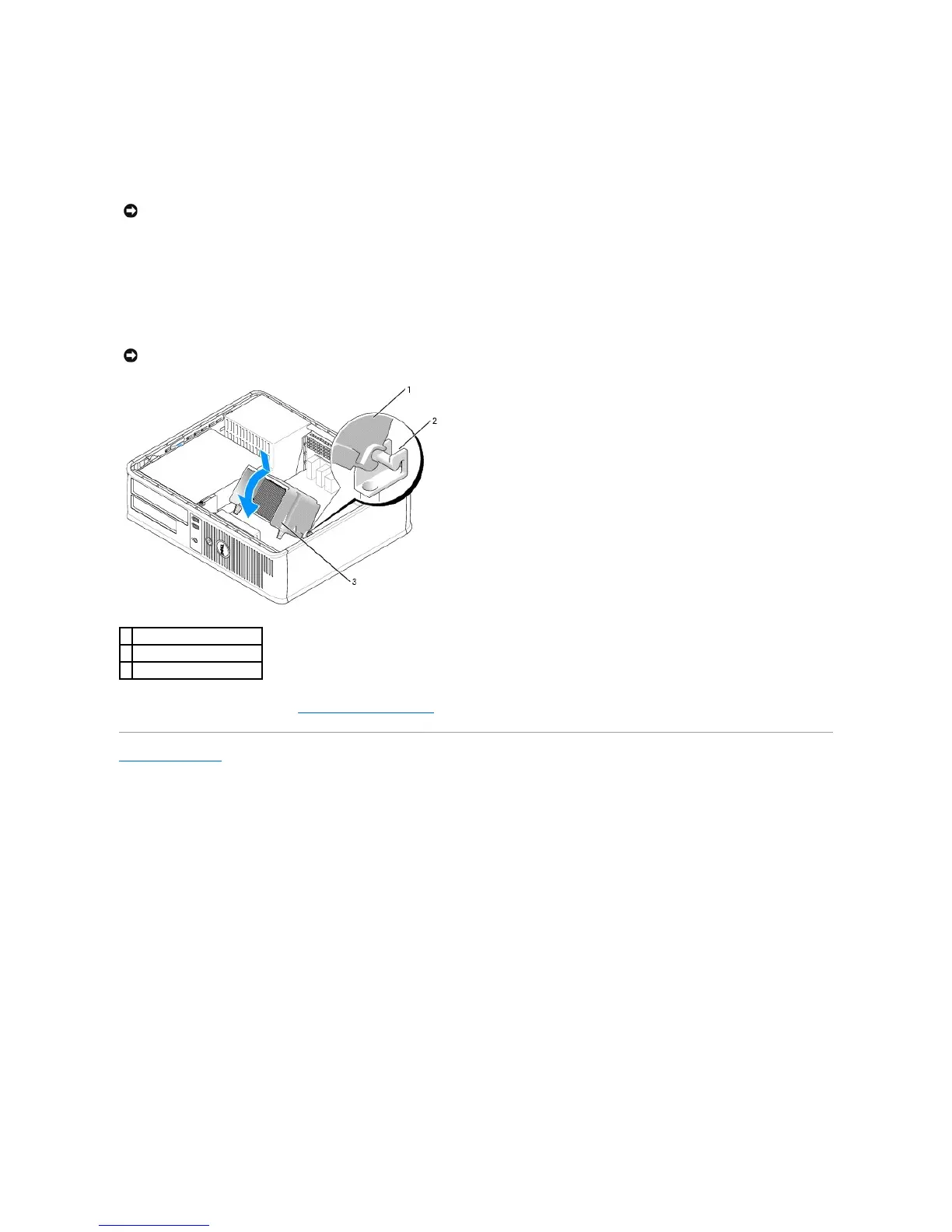
11. Install the heat sink assembly:
a. Place the heat sink assembly back onto the heat-sink assembly bracket.
b. Rotate the heat sink assembly down towards the computer base and tighten the two captive screws.
12. Replace the computer cover (see Replacing the Computer Cover).
Back to Contents Page
NOTICE: Ensure that you apply new thermal grease. New thermal grease is critical for ensuring adequate thermal bonding, which is a requirement for
optimal processor operation.













 To Next Page