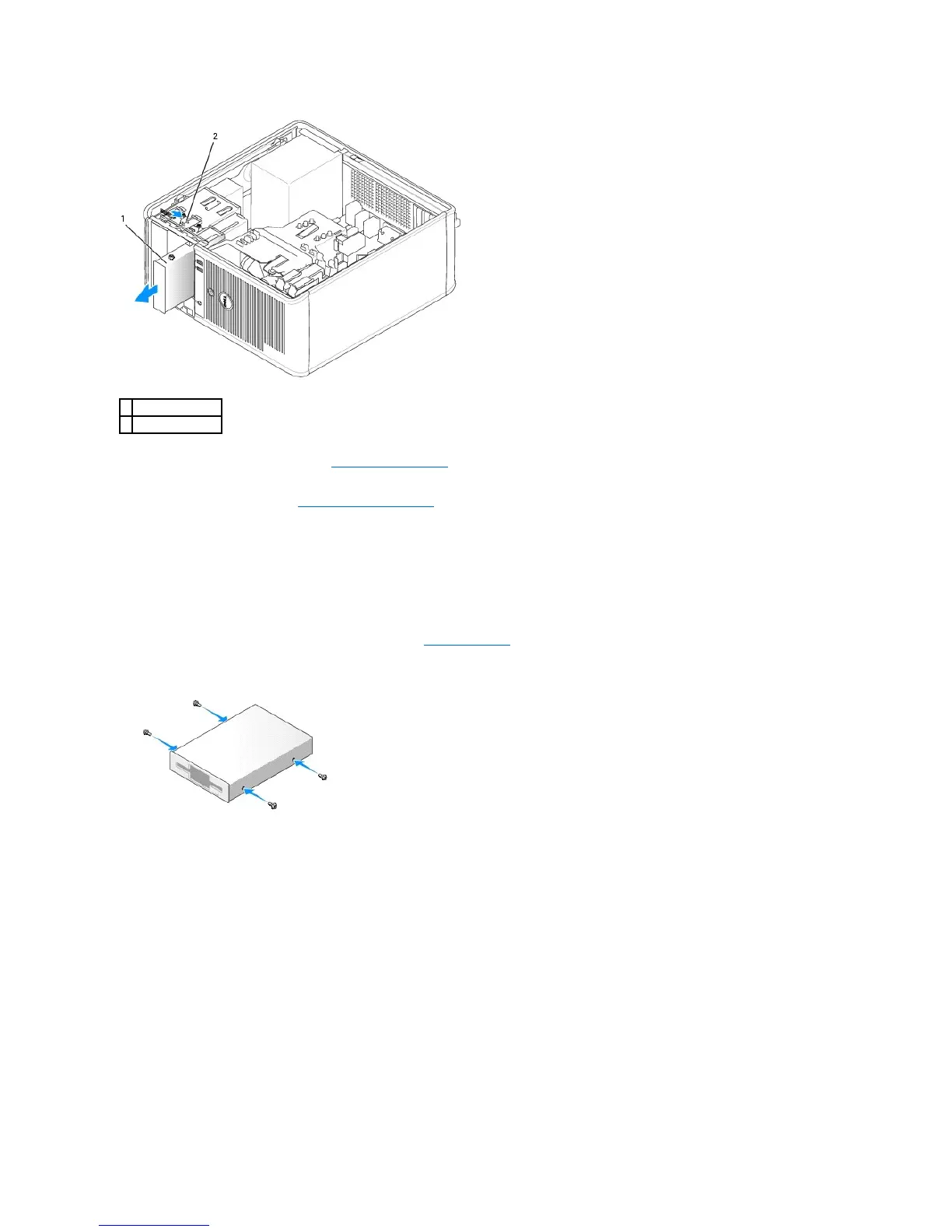
5. If you are replacing the floppy drive, see Installing the Floppy Drive.
Otherwise, replace the drive panel by aligning its hinges and rotating it up until it snaps into place.
6. Replace the computer cover (see Replacing the Computer Cover).
Installing the Floppy Drive
1. If you are replacing a floppy drive, remove the shoulder screws from the existing drive and attach the screws to the replacement drive.
2. If you are installing a new floppy drive:
a. Remove the drive-panel insert for your new drive (see Drive-Panel Inserts).
b. Remove the shoulder screws from the inside of the drive-panel insert.
c. Attach the screws to the new drive.
3. Align the shoulder screws on the floppy drive with the shoulder screw slots, and gently slide the drive into the bay until it clicks into place.













 To Next Page