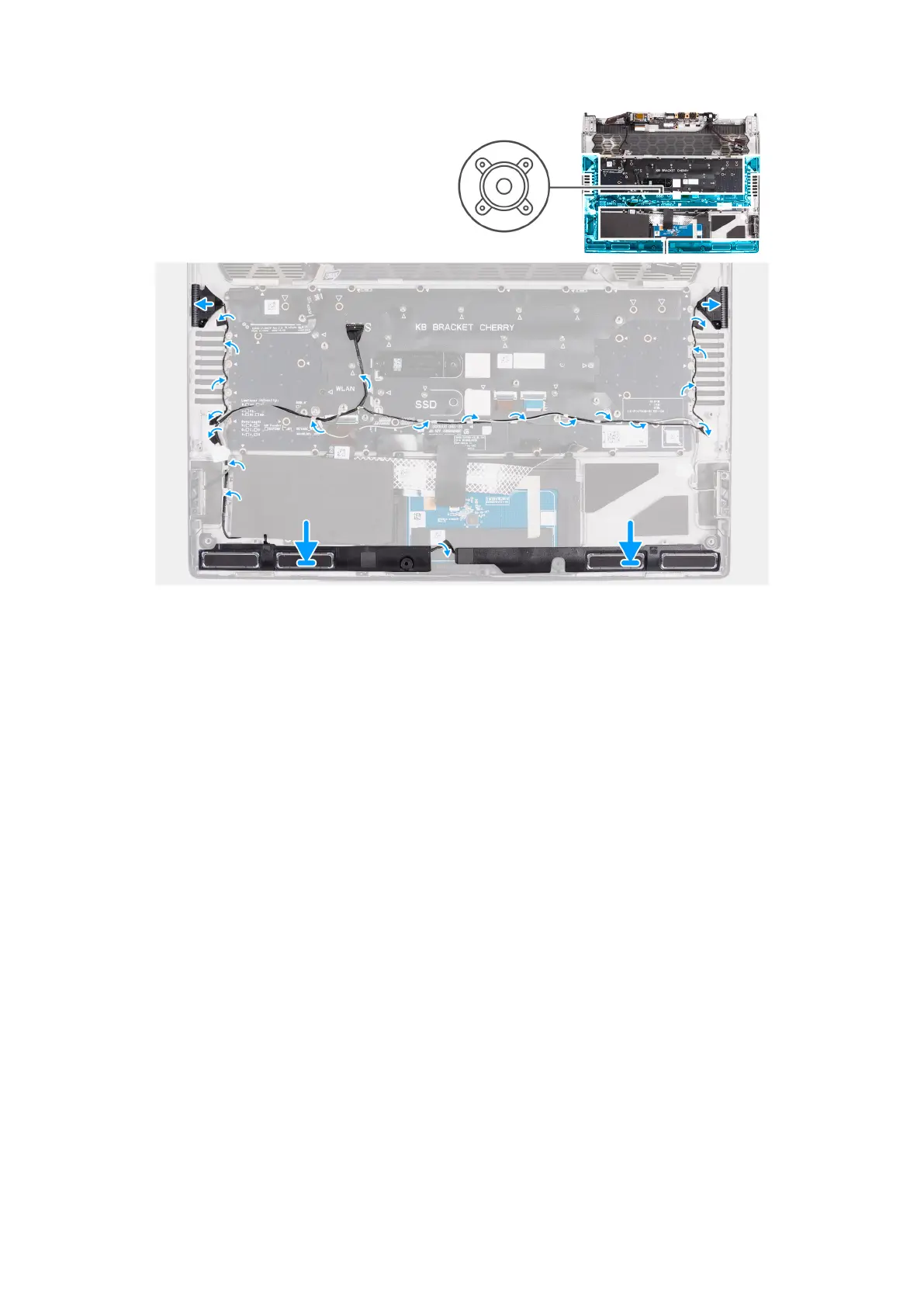
Steps
1. Using the alignment posts, place the left and right speakers into their slots on the palm-rest and keyboard assembly.
2. Peel off the protective film to expose the adhesive on the back of the tweeters.
3. Align and install the left and right tweeters into their slots on the palm-rest and keyboard assembly as shown in the image.
4. Route the speaker cable through the routing guides on the palm-rest and keyboard assembly as shown in the image.
5. Adhere the tape that secures the speaker cable to the palm-rest and keyboard assembly.
6. After installing the speakers, go to perform the postrequisites.
107



 To Next Page