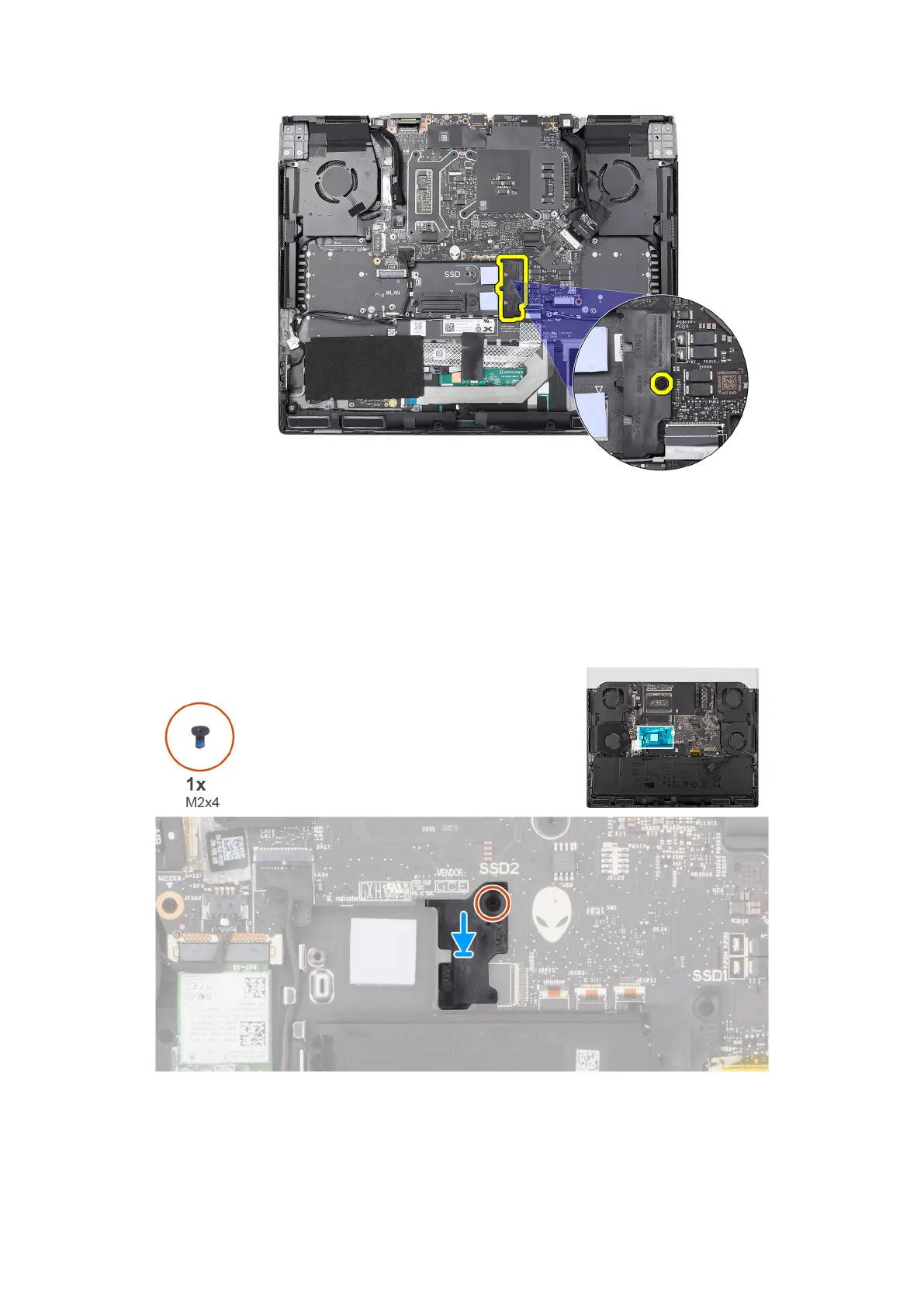
2. Lift the solid state drive bracket off the palm-rest and keyboard assembly.
Installing the solid state drive bracket
About this task
The following images indicate the location of the solid state drive bracket and provide a visual representation of the installation
procedure.
Steps
1. Align the screw hole on the solid state drive bracket with the screw hole on the palm-rest and keyboard assembly.
2. Replace the screw (M2x4) that secures the solid state drive bracket to the palm-rest and keyboard assembly.
43



 To Next Page