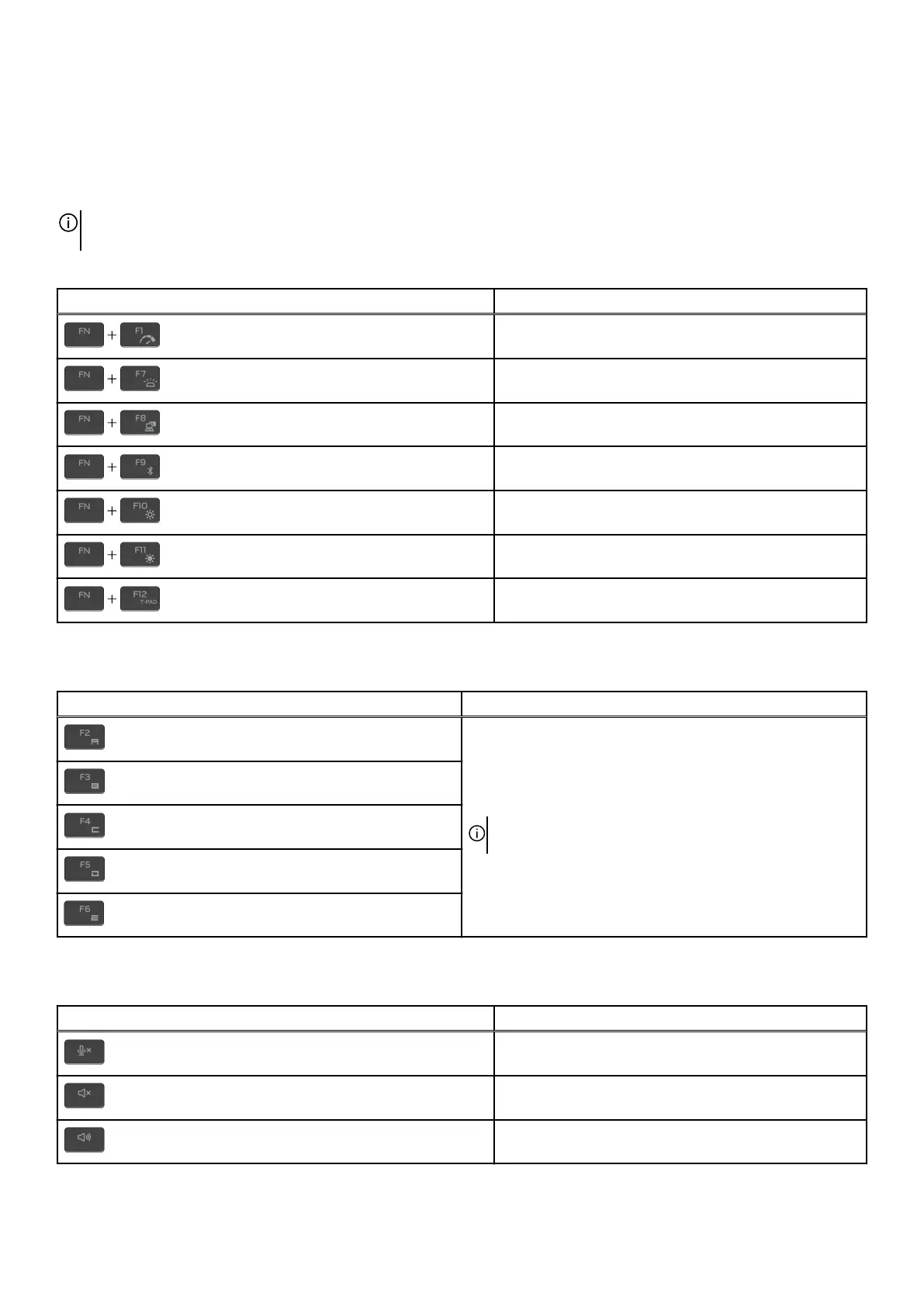
The keys F1-F12 at the top row of the keyboard are function keys for multimedia control, as indicated by the icon at the bottom of
the key. Press the function key to invoke the task represented by the icon. For example, pressing F1 disable or enable performance
boost (see the table below).
However, if the function keys F1-F12 are needed for specific software applications, multimedia functionality can be disabled by
pressing fn + Esc. Later, multimedia control can be invoked by pressing fn and the respective function key. For example, disable or
enable performance boost by pressing fn + F1.
NOTE: You can also define the primary behavior of the function keys (F1–F12) by changing Function Key Behavior in BIOS
setup program.
Table 12. List of keyboard shortcuts
Keys Description
Disable or enable Performance Boost
Adjust keyboard backlight brightness
Switch to external display
Open Quick Settings
Decrease display brightness
Increase display brightness
Disable or enable touchpad
Your computer comes with preprogrammable macro keys that enable you to perform multiple actions with a single key press.
Table 13. List of Macro keys
Keys Description
Macro keys
NOTE: You can configure modes and assign multiple tasks
for the macro keys on the keyboard.
Your computer comes with dedicated keys that enable you to control audio features of the computer with a single key press.
Table 14. List of keys to control audio features
Keys Description
Mute microphone
Mute speakers
Increase volume
18



 To Next Page