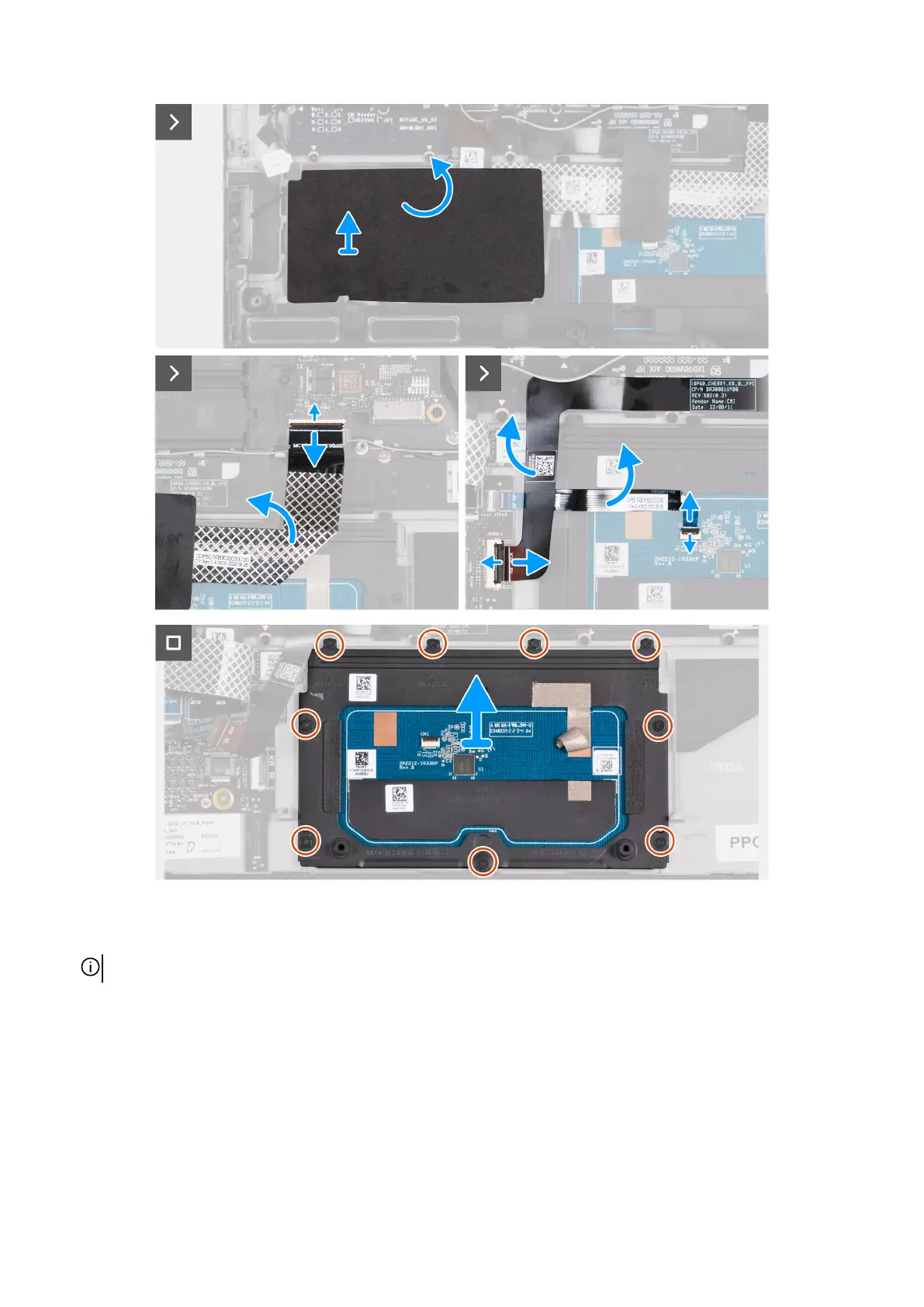
Steps
1. Lift and place the two speakers off the palm-rest and keyboard assembly to access the touchpad.
NOTE: Do not remove the speaker cables from the routing guides on the palm-rest and keyboard assembly.
2. Peel the Mylar and lift the Mylar off the keyboard-controller board.
3. Open the latch and disconnect the keyboard-controller board cable from the keyboard-controller board.
4. Fold up the keyboard-controller board cable.
5. Open the latch and disconnect the keyboard cable from the keyboard-controller board.
6. Fold up the keyboard cable.
7. Open the latch and disconnect the touchpad cable from the touchpad.
8. Fold up the touchpad cable.
9. Open the latch and disconnect the touchpad-light cable from the touchpad.
57



 To Next Page