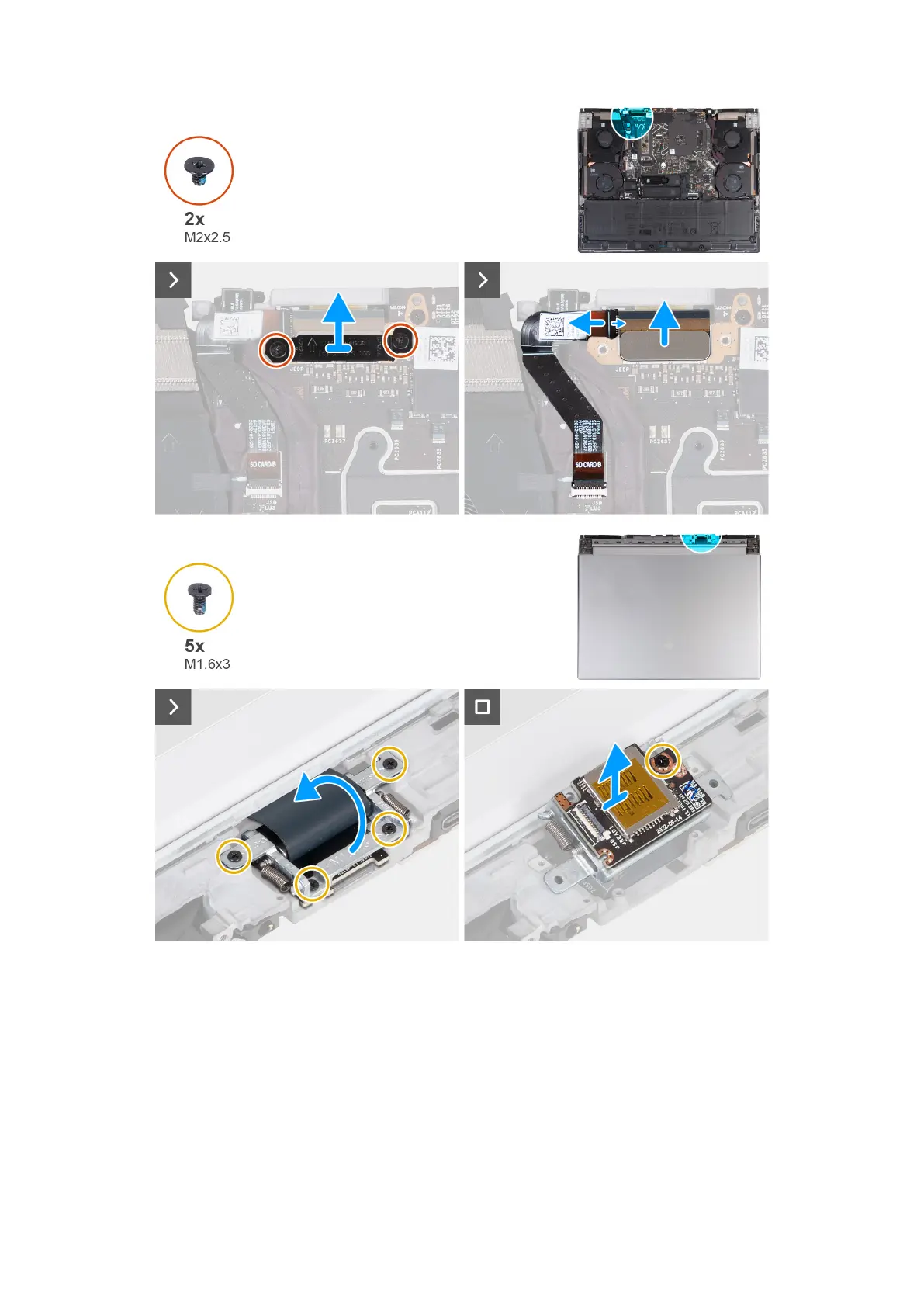
Steps
1. Remove the two screws (M2x2.5) that secures the display-cable bracket to the palm-rest and keyboard assembly.
2. Lift the display-cable bracket off the palm-rest and keyboard assembly.
3. Disconnect the microSD-card reader cable from the micorSD-card reader board.
4. Disconnect the display cable from the system board.
5. Turn the computer over.
6. Remove the four screws (M1.6x3) that secure the display-cable holder to the palm-rest and keyboard assembly.
7. Lift the display-cable holder and rotate the display-cable holder to 180 degrees so that the microSD-card reader is visible.
8. Remove the screw (M1.6x3) that secures the microSD-card reader to the display-cable holder.
9. Remove the microSD-card reader from the display-cable holder.
63



 To Next Page