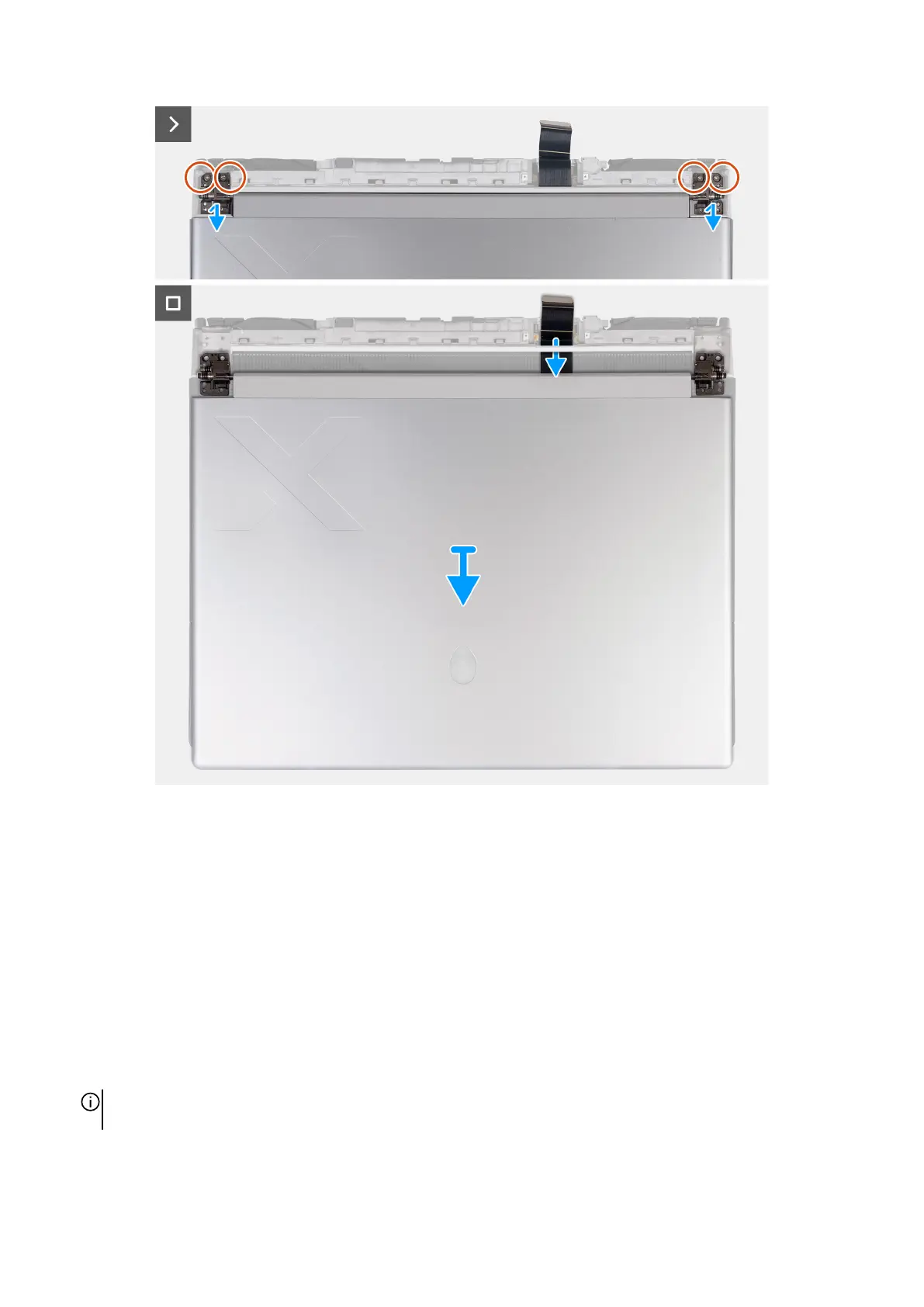
Steps
1. Remove the four screws (M2.5x4) that secure the left and right display hinge to the bottom side of the palm-rest and keyboard
assembly.
2. Remove the two screws (M2x2.5) that secures the display-cable bracket to the palm-rest and keyboard assembly.
3. Lift the display-cable bracket off the palm-rest and keyboard assembly.
4. Disconnect the microSD-card reader cable from the microSD-card reader board.
5. Disconnect the display cable from the system board.
6. Turn the computer over.
7. Remove the four screws (M1.6x3) that secures the display-cable holder to the palm-rest and keyboard assembly.
8. Lift the display-cable holder and rotate the display-cable holder to 180 degrees so that the microSD-card reader is visible.
9. Remove the screw (M1.6x3) that secure the microSD-card reader to the display-cable holder.
10.Remove the microSD-card reader from the display-cable holder.
11. Slide and remove the display-cable holder off the palm-rest and keyboard assembly.
NOTE: While removing the display cable from the display cable holder, push open the spring-loaded bar separating the two
slits in the middle of the display holder.
12. Route the display cable from the slot between the palm-rest and keyboard assembly and rear I/O cover.
71



 To Next Page