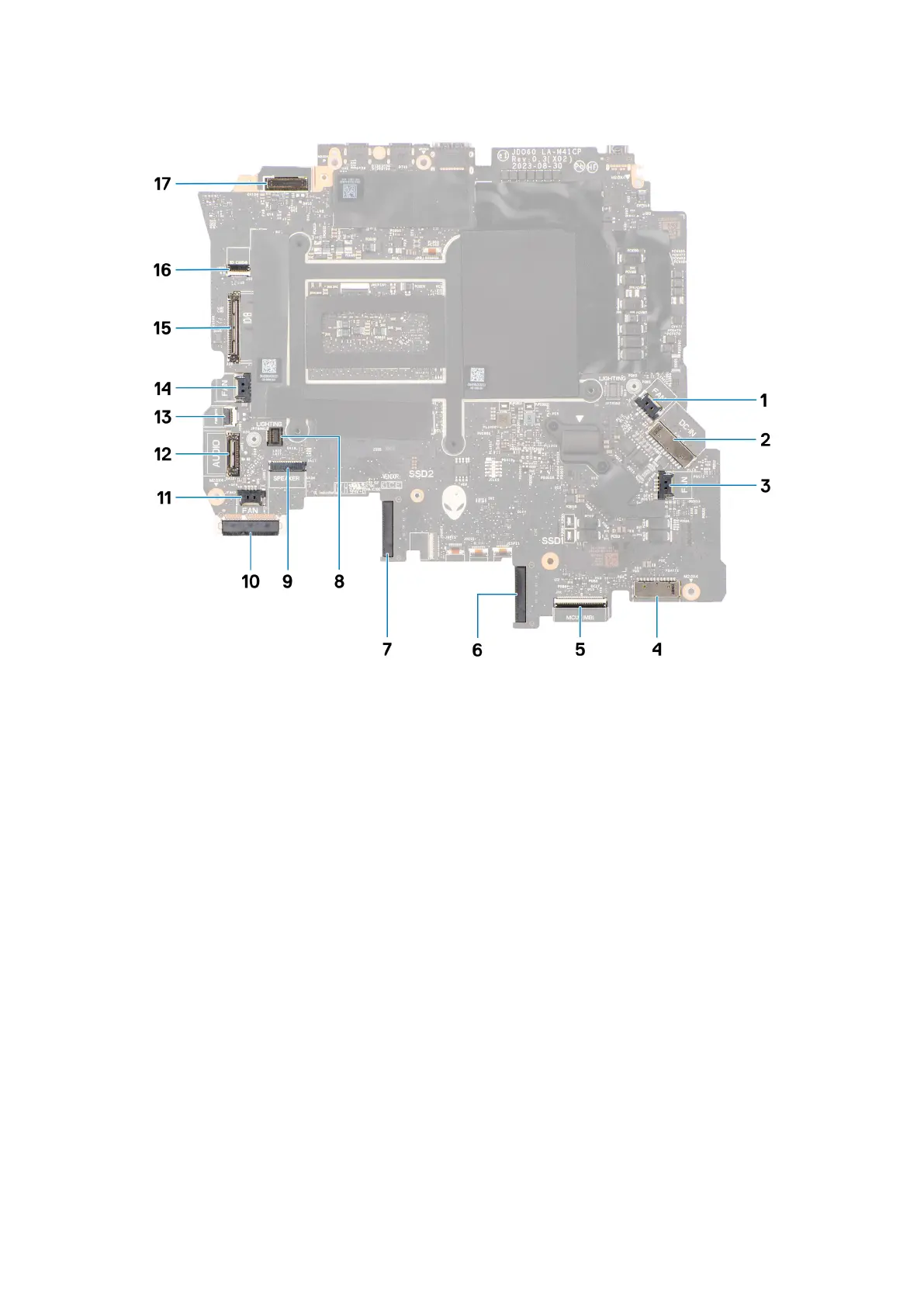
1. Right-fan cable connector
2. Power-adapter port cable connector
3. Graphics-card fan cable connector
4. Battery-cable connector
5. Keyboard-controller board cable connector
6. Solid state drive slot 1 (SSD-1)
7. Solid state drive slot 2 (SSD-2)
8. Left tron-light cable connector
9. Speaker-cable connector
10.WLAN card
11. Processor-fan cable connector
12. Headset-port connector
13. Power-button cable connector
14. Left-fan cable connector
15.I/O-board cable connector
16.Micro-SD-card reader cable connector
17. Display-cable connector
The following images indicate the location of the system board and provide a visual representation of the installation procedure.
91



 To Next Page