NOTE: The M.2 solid-state drive installed on your computer depends on the configuration ordered. The M.2 slot supports
one of the following solid-state drives:
● M.2 2230 solid-state drive
A mounting bracket for the M.2 2230 solid-state drive is required. The mounting bracket is provided if the M.2 2230
solid-state is shipped with the computer.
If you are replacing the M.2 2230 solid-state drive with a new M.2 2230 solid-state drive, use the existing mounting
bracket to install the latter.
● M.2 2280 solid-state drive
If you are replacing the M.2 2280 solid-state drive (shipped with the computer) with an M.2 2230 solid-state drive, a
mounting bracket for the M.2 2230 solid-state drive is required. Please contact Dell support to purchase the mounting
bracket for the M.2 2230 solid-state drive.
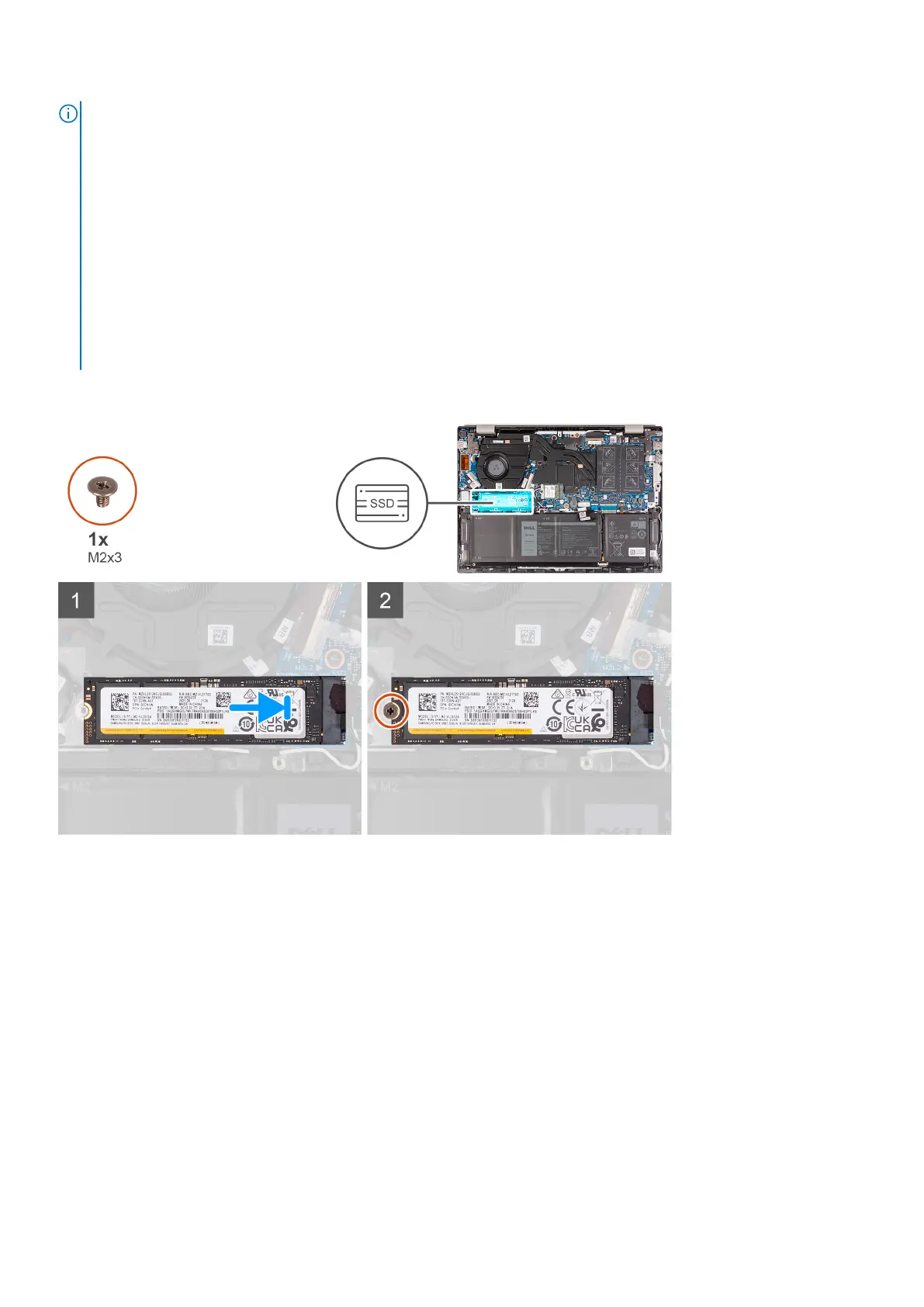
The following image(s) indicate the location of the M.2 2280 solid-state drive and provides a visual representation of the
installation procedure.
Steps
1. Align the notch on the M.2 2280 solid-state drive with the tab on the M.2 card slot on the system board.
2. Slide the M.2 2280 solid-state drive into the M.2 card slot on the system board.
3. Replace the screw (M2x3) that secures the M.2 2280 solid-state drive to the system board.
Next steps
1. Install the base cover.
2. Exit Service Mode.
3. Follow the procedure in After working inside your computer.
28
Removing and installing components



 To Next Page