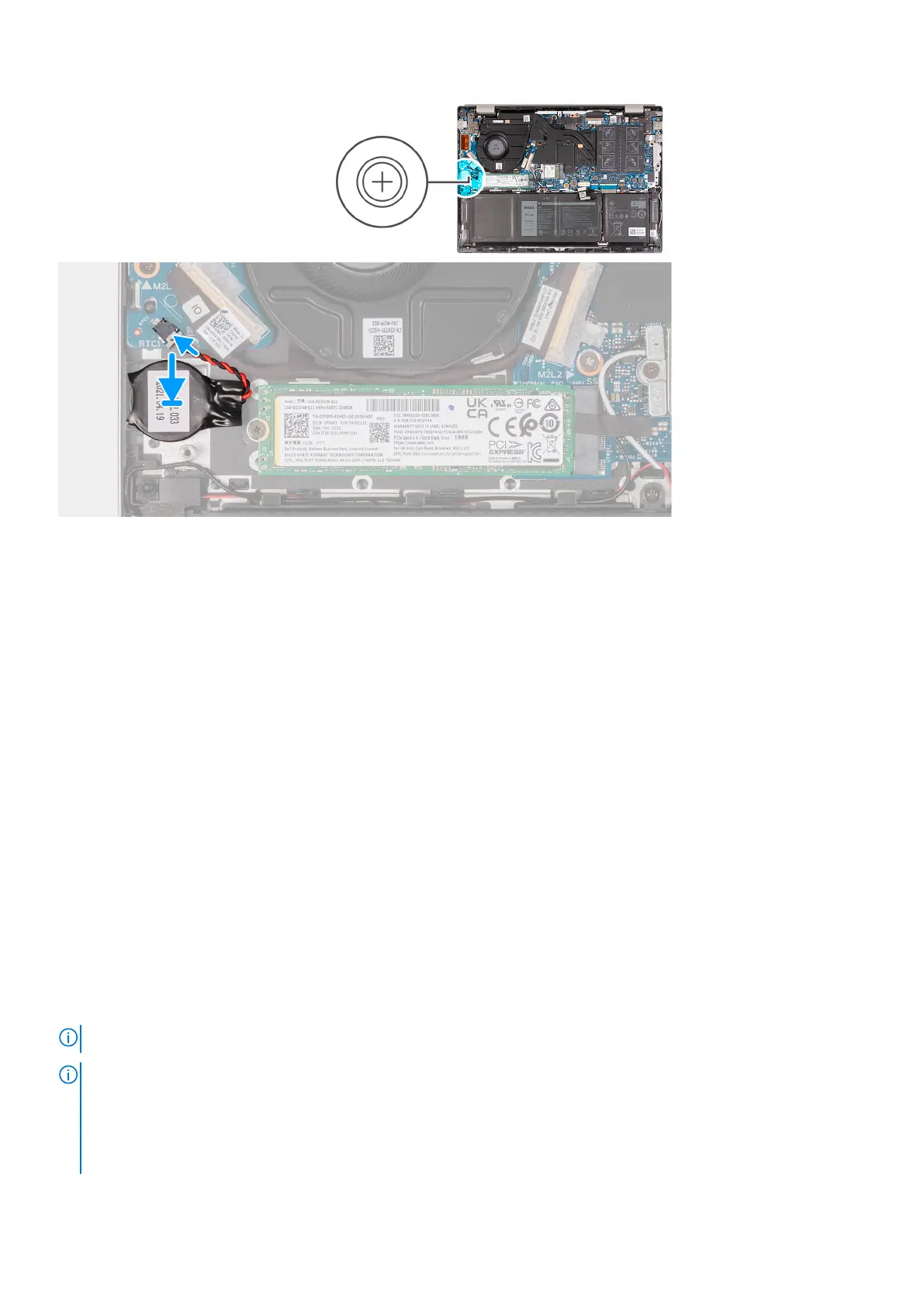
Steps
1. Connect the coin-cell battery cable to the I/O board.
2. Adhere the coin-cell battery to the palm-rest and keyboard assembly.
3. Connect the battery cable to the system board.
4. Adhere the tape that secures the battery cable to the battery.
Next steps
1. Install the base cover.
2. Exit Service Mode.
3. Follow the procedure in After working inside your computer.
Solid-state drive
Removing the M.2 2230 solid-state drive
Prerequisites
1. Follow the procedure in Before working inside your computer.
2. Enter Service Mode.
3. Remove the base cover.
About this task
NOTE: This procedure applies only to computers shipped with an M.2 2230 solid-state drive installed.
NOTE: The M.2 solid-state drive installed on your computer depends on the configuration ordered. The M.2 slot supports
one of the following solid-state drives:
● M.2 2230 solid-state drive
A mounting bracket for the M.2 2230 solid-state drive is required. The mounting bracket is provided if the M.2 2230
solid-state is shipped with the computer.
Removing and installing components 23



 To Next Page