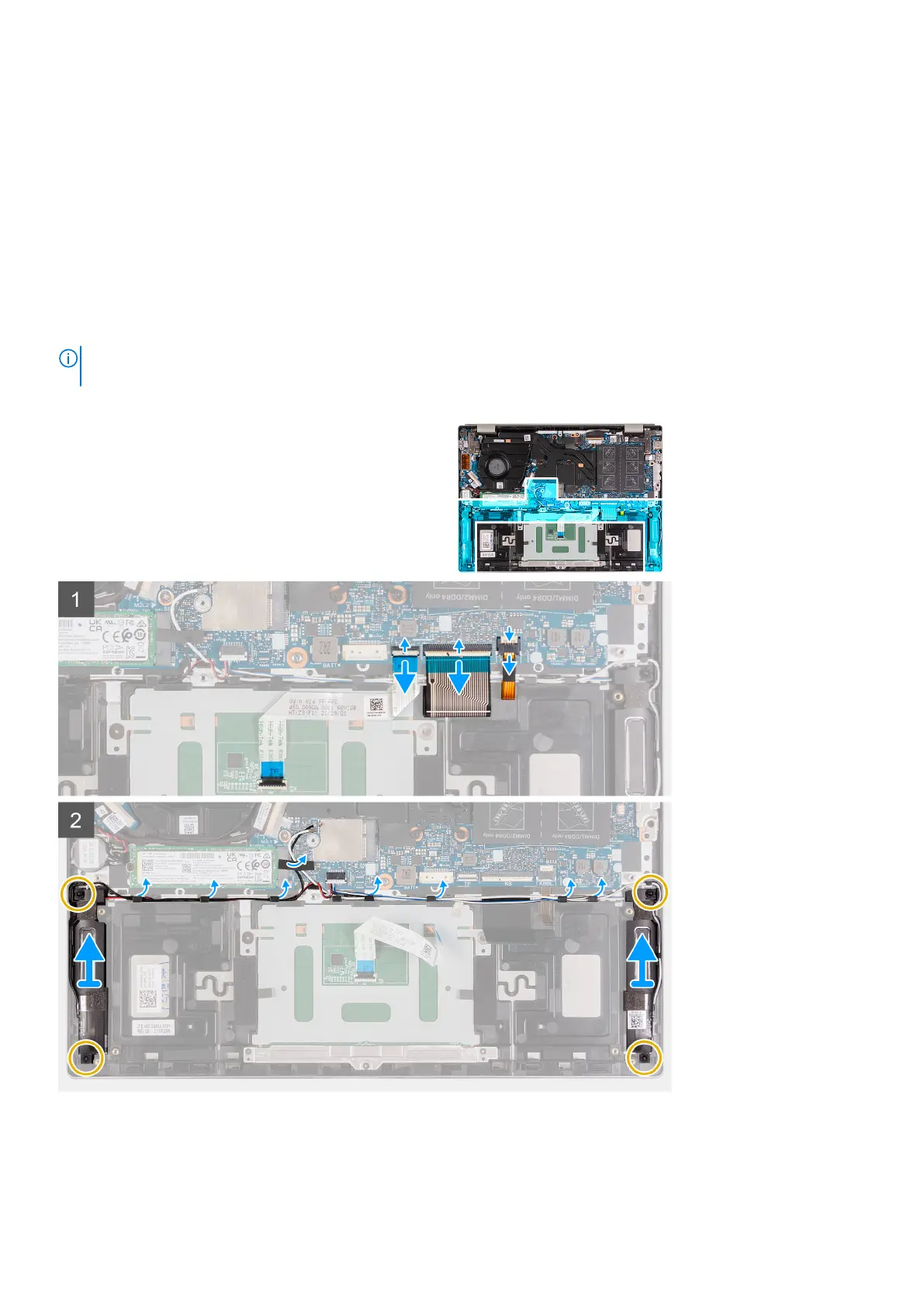
Speakers
Removing the speakers
Prerequisites
1. Follow the procedure in Before working inside your computer.
2. Remove the base cover.
3. Remove the battery.
About this task
NOTE: The wireless-card antennas are attached to the speakers as an assembly and cannot be separated for individual
replacement. Services will replace the speakers and the wireless antennas as an assembly part.
The following image(s) indicate the location of the speakers and provides a visual representation of the removal procedure.
Steps
1. Peel off the tapes that secure the antenna cables to the palm-rest and keyboard assembly.
2. Lift the antenna cables and move them out of the way.
Removing and installing components
41



 To Next Page