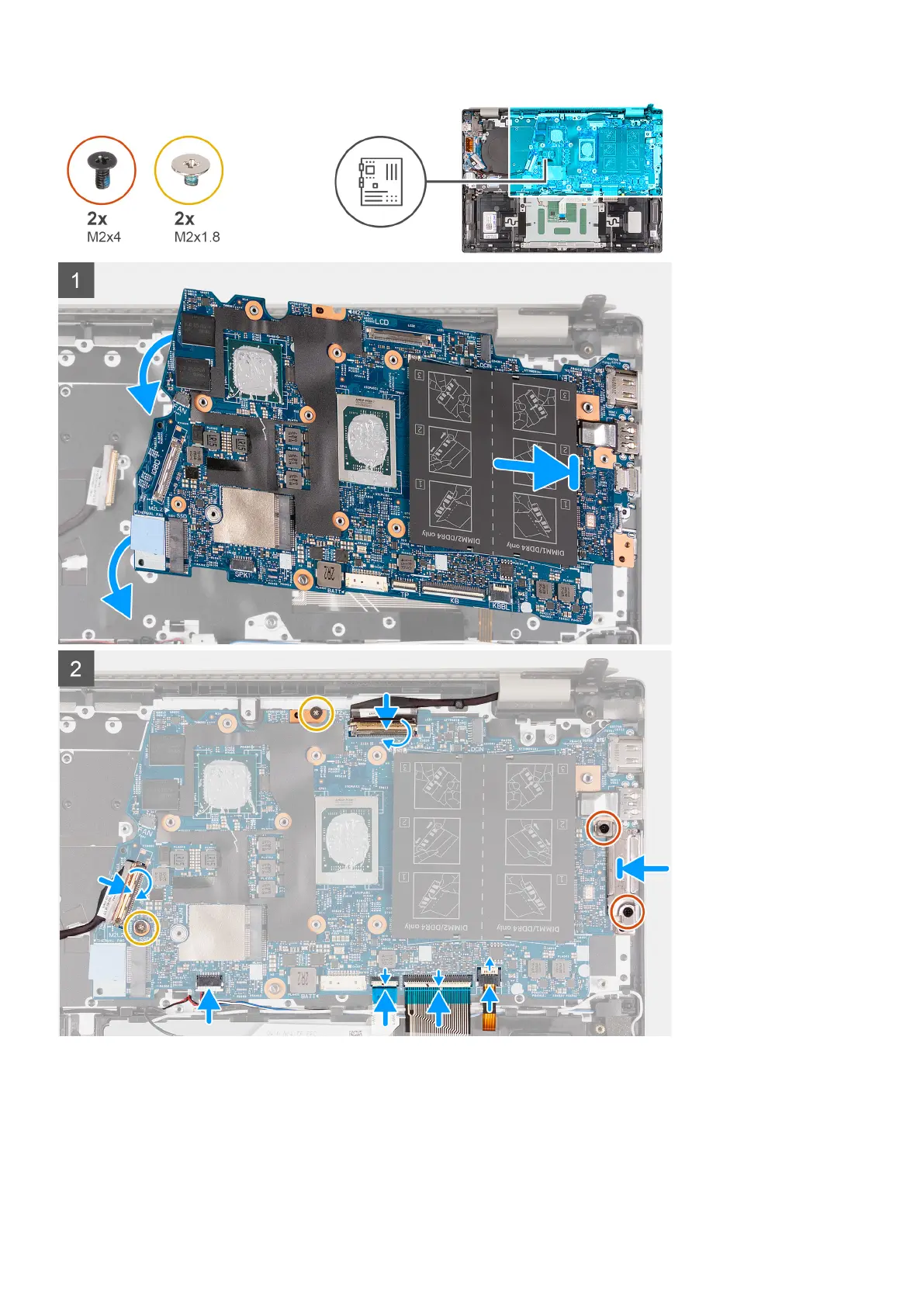
Steps
1. Install the system board at an angle and ensure that the ports are properly aligned with the port openings.
2. Align the screw holes on the system board with the screw holes on the palm-rest and keyboard assembly.
3. Replace the two screws (M2x1.8) that secure the system board to the palm-rest and keyboard assembly.
4. Connect the display cable to the system board and close the latch to secure the cable.
5. Adhere the tape that secures the display cable to the system board.
56
Removing and installing components



 To Next Page