Front
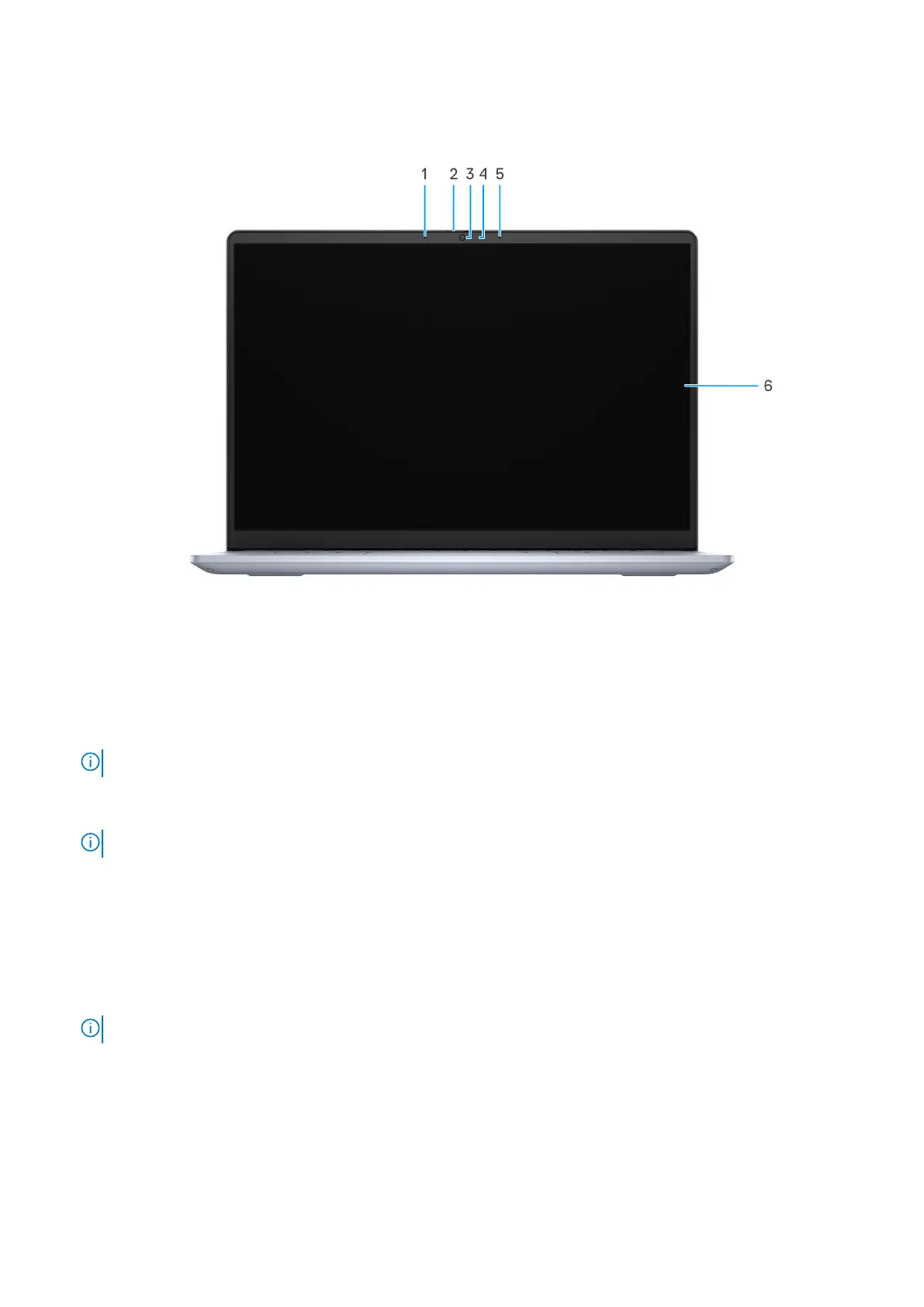
Figure 5. Front view
1. Left microphone
Provides digital sound input for audio recording and voice calls.
NOTE: Computers that are shipped with plastic chassis have only one microphone.
2. Camera shutter
Slide the privacy shutter to the left to access the camera lens.
NOTE: The camera shutter is only available on computers that are shipped with an aluminum chassis.
3. Camera
Enables you to video chat, capture photos, and record videos.
4. Camera-status light
Turns on when the camera is in use.
5. Right microphone
Provides digital sound input for audio recording and voice calls.
NOTE: Computers that are shipped with plastic chassis have only one microphone.
6. Display
Displays the data, videos, and photos.
10
Views of Inspiron 14 5440



 To Next Page