Views of Inspiron 14 5440
Right
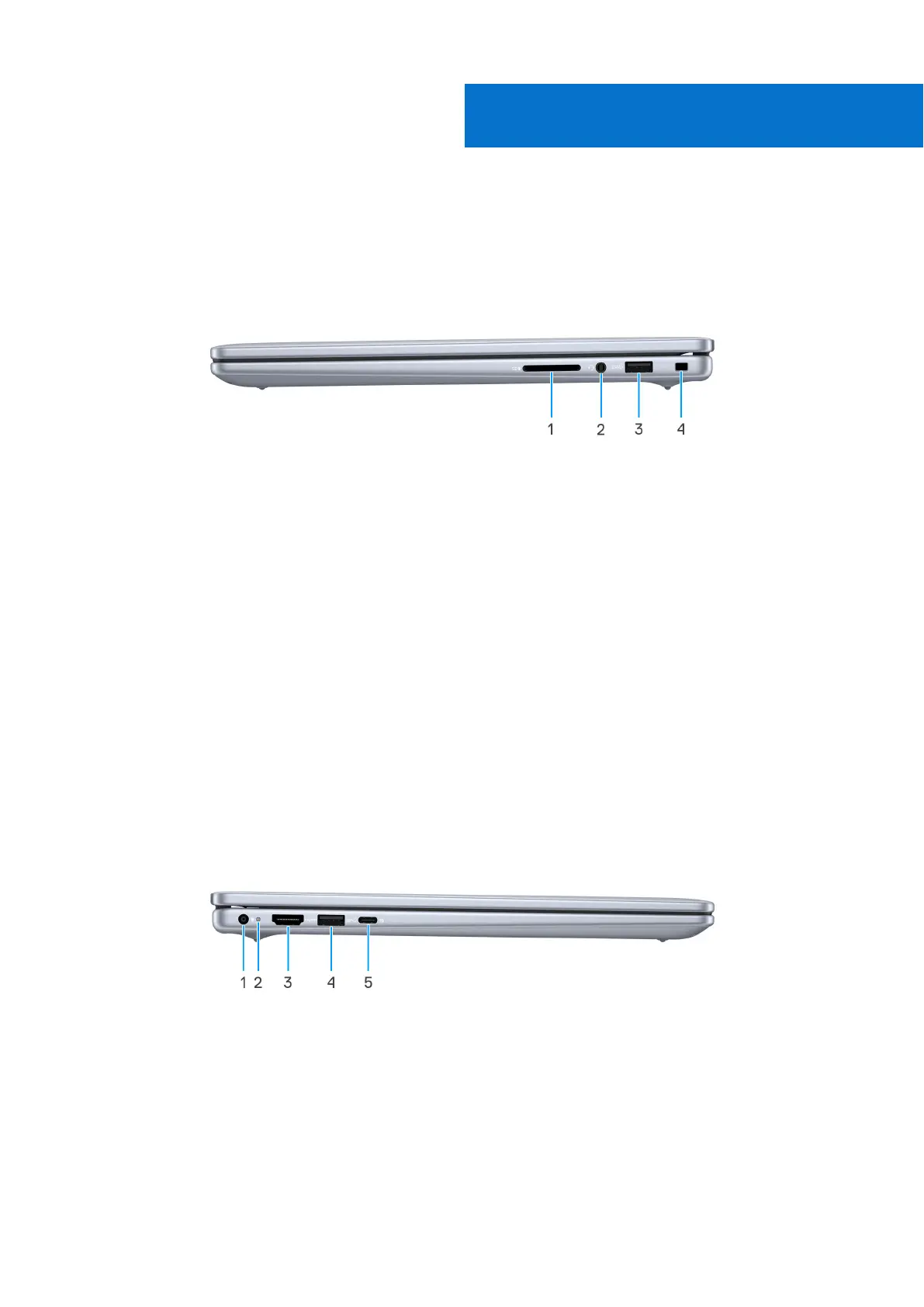
Figure 1. Right view
1. SD-card slot
Reads from and writes to the SD card. The computer supports the following card types:
● Secure Digital (SD)
● Secure Digital High Capacity (SDHC)
● Secure Digital Extended Capacity (SDXC
2. Headset (headphone and microphone combo) port
Connect headphones or a headset (headphone and microphone combo).
3. USB 3.2 Gen 1 (5 Gbps) port
Connect devices such as external storage devices and printers. Provides data transfer speeds up to 5 Gbps.
4. Wedge-shapped lock slot
Connect a security cable to prevent unauthorized movement of your computer.
Left
Figure 2. Left view of computers shipped with core 5 and core 7 processors
1. Power-adapter port
Connect your power-adapter.
2. Battery-status light
Indicates the battery-charge status.
● Solid yellow-Battery charge is low.
1
Views of Inspiron 14 5440 7



 To Next Page