Prerequisites
1. Follow the procedure in Before working inside your computer.
2. Remove the base cover for computers shipped with a plastic chassis.
3. Remove the M.2 2230 solid-state drive for computers shipped with a plastic chassis.
4. Remove the wireless card for computers shipped with a plastic chassis.
5. Remove the display assembly for computers shipped with a plastic chassis.
6. Remove the display bezel for computers shipped with a plastic chassis.
7. Remove the display panel for computers shipped with a plastic chassis.
About this task
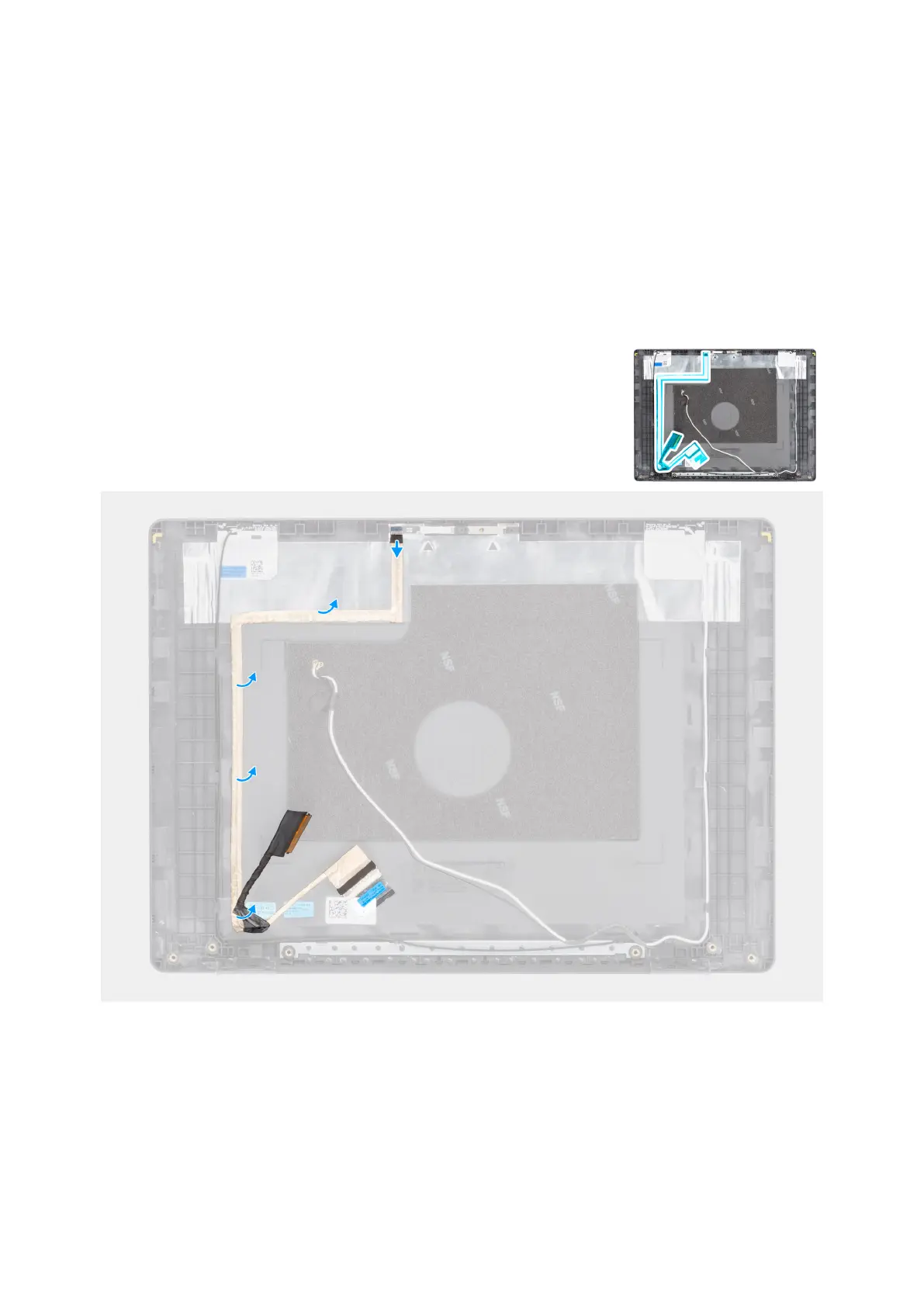
The following image indicates the location of the display cable and provides a visual representation of the removal procedure.
Figure 82. Removing the display cable
Steps
1. Disconnect the display eDP cable from the connector on the camera module.
2. Carefully peel back and remove the display eDP cable from the display back-cover and antenna assembly.
114
Removing and installing Field Replaceable Units (FRUs)



 To Next Page