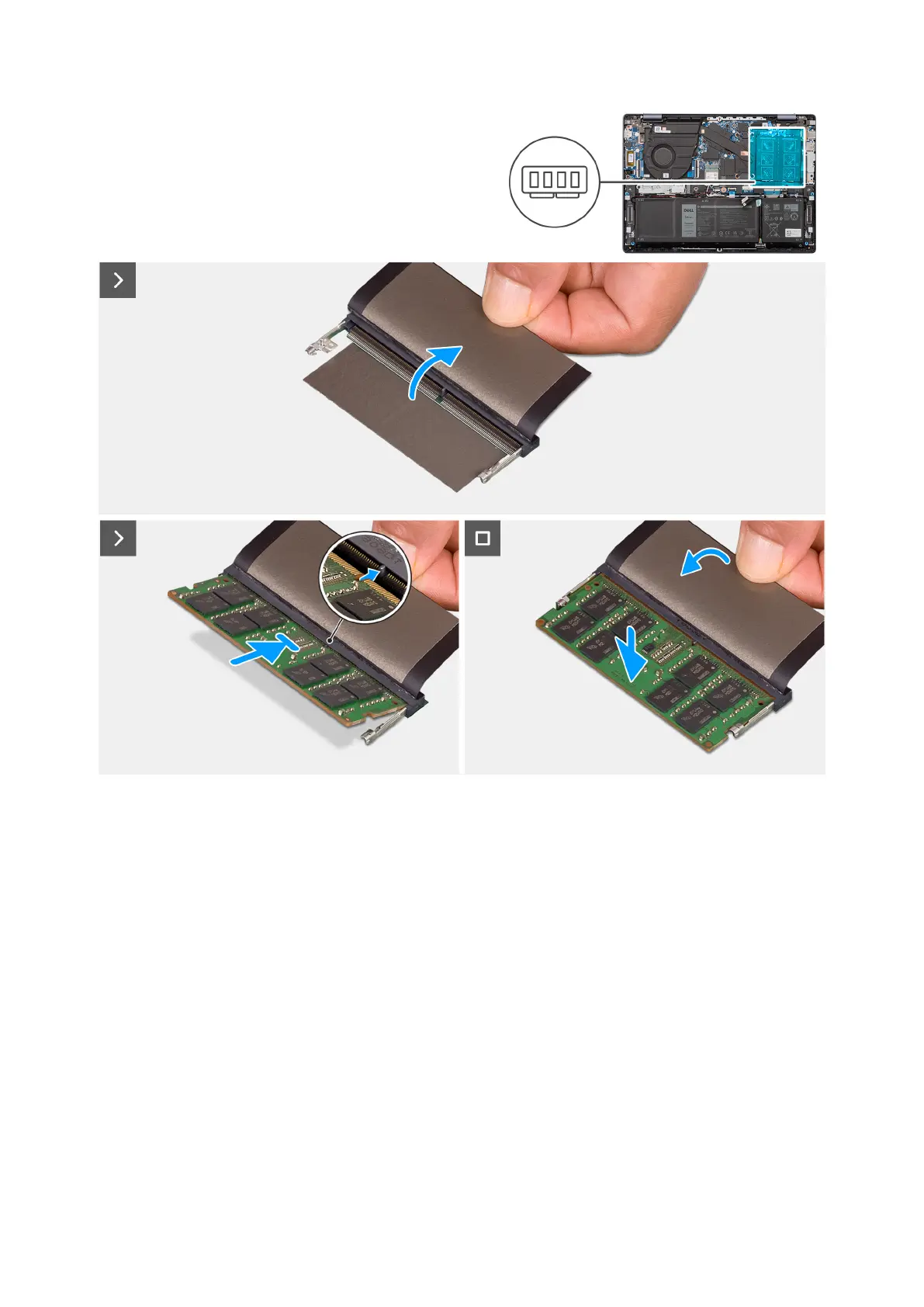
Figure 23. Installing the memory module
Steps
1. Lift the Mylar to access the memory-module slot.
2. Align the notch on the memory module with the tab on the memory-module slot on the system board.
3. Slide the memory module into the memory-module slot on the system board.
4. Press down on the memory module till the securing clips click, locking the memory module in place.
Next steps
1. Install the base cover for computer shipped with an aluminum chassis.
2. Follow the procedure in After working inside your computer.
48
Removing and installing Customer Replaceable Units (CRUs)



 To Next Page