32 Operating the Monitor
Menu and Submenus Description
Factory Reset Restores all OSD settings to the factory defaults.
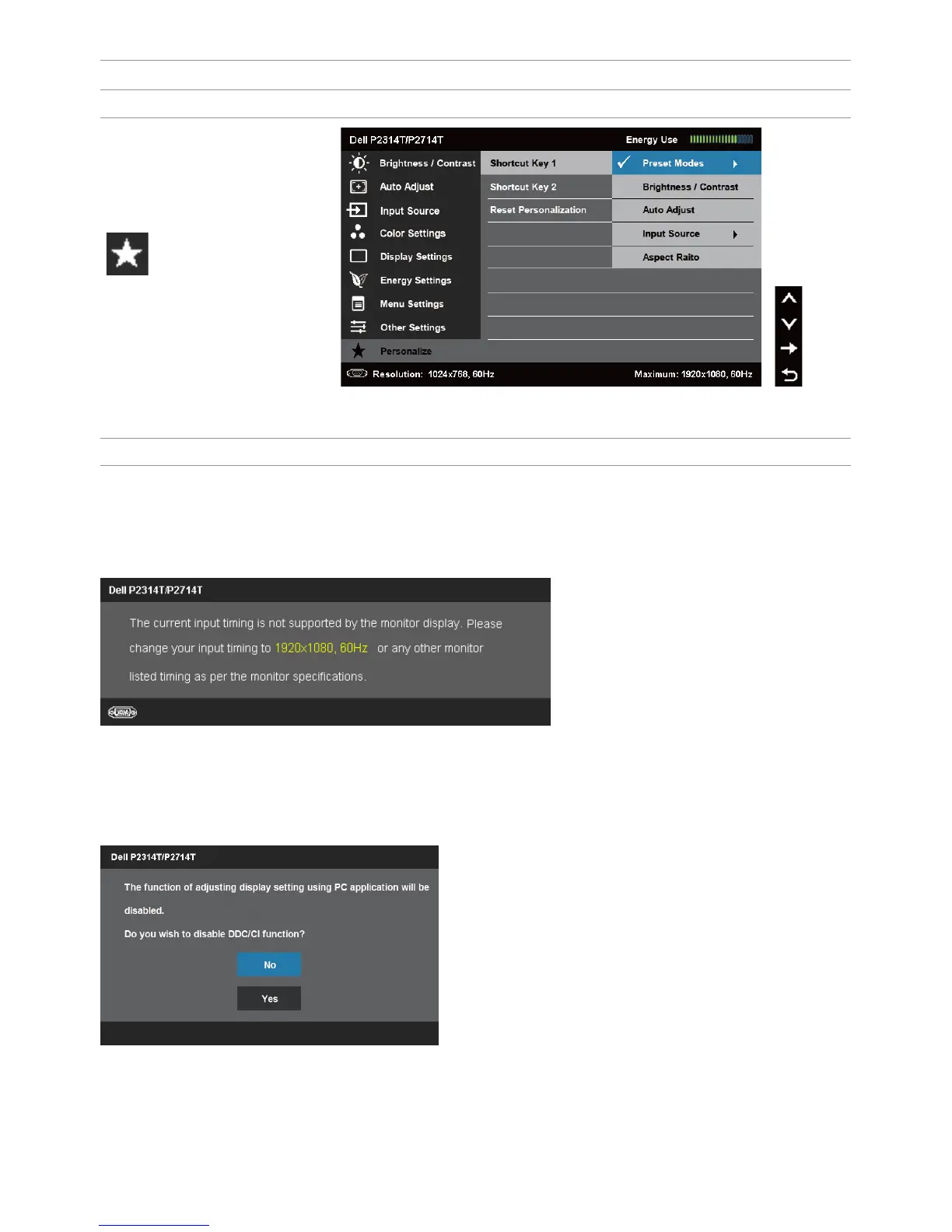
Personalize
Select from Preset Modes, Brightness/Contrast, Auto
Adjust, Input Source, Aspect Ratio and set as shortcut key.
Reset Personalization Restores shortcut keys to factory defaults.
OSD Warning Messages
When the monitor does not support a display resolution, the following message
appears:
This means that the monitor cannot synchronize with the signal that it is receiving from
the computer. See Specifications for the frequency ranges addressable by this monitor.
Recommended mode is 1920X1080.
The following message before the DDC/CI function is disabled.


 To Next Page