Operating the monitor | 73
Icon Menu and
Submenus
Description
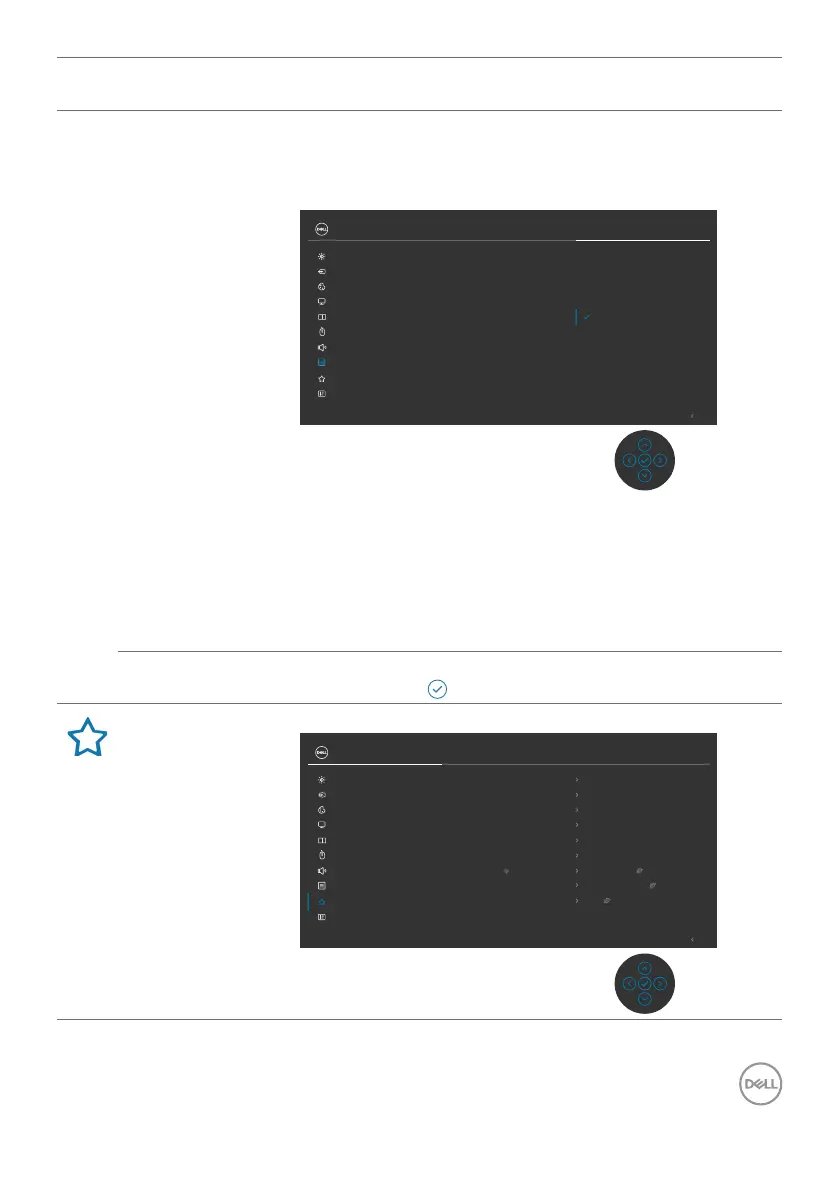
Lock With the control buttons on the monitor locked,
you can prevent people from accessing the
controls. It also prevents accidental activation
in multiple monitors side-by-side setup.
Power Button
Menu + Power Buttons
Disable
Rotation
Reset Menu
Timer
Menu Buttons
Lock
Transparency
Language
Exit
34 Monitor
Input Source
Color
Brightness/Contrast
Display
PIP/PBP
Personalize
Others
Menu
USB
Audio & Webcam
• Menu Buttons: Through OSD to lock the Menu
buttons.
• Power Button: Through OSD to lock the Power
button.
• Menu + Power Buttons: Through OSD to lock the all
of Menu and Power buttons.
• Disable: Move the Joystick left and hold for 4 seconds.
Reset Menu Resets all settings under the Reset Menu to the factory
defaults. Press to select this function.
Personalize
Exit
34 Monitor
Input Source
Color
Brightness/Contrast
Display
PIP/PBP
Personalize
Others
Menu
USB
Audio & Webcam
Shortcut Key 1
USB Switch
Shortcut Key 2
Input Source
Shortcut Key 3
Preset Modes
Reset Personalization
Power Button LED
On in On Mode
Fast Wakeup
O
Other USB Charging
O in Standby Mode
USB-C Charging 90W
O in O Mode
Shortcut Key 4
Brightness/Contrast
Shortcut Key 5
PIP/PBP Mode



 To Next Page