Operating the monitor | 95
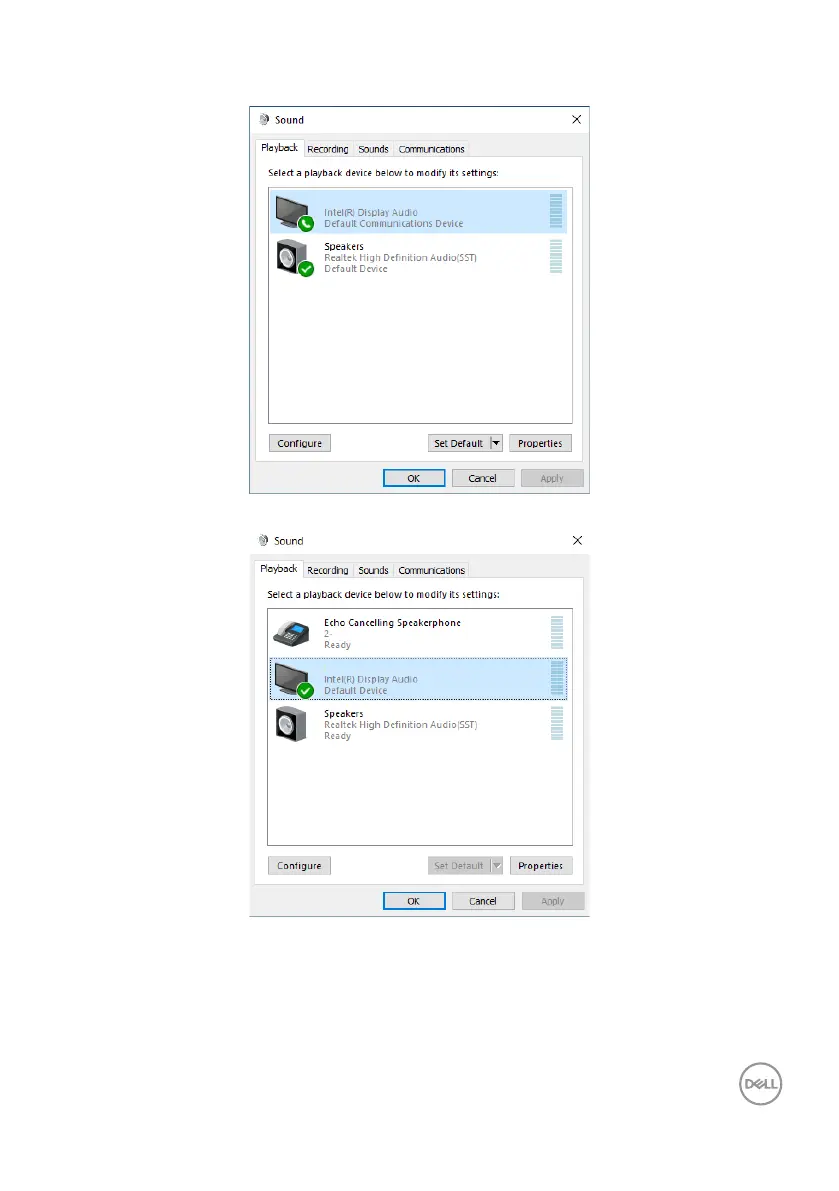
Click DELL P3424WEB, and then click Set Default, the monitor speaker will be used
as the default setting.
DELL P3424WEB
Click OK to exit the Sound setting.
DELL P3424WEB USB
DELL-P3424WEB
If the USB cable and the HDMI or DP cable are connected from monitor to the
computer, two audio paths named DELL P3424WEB and Echo Cancelling
Speakerphone P3424WEB from the monitor will show in the Sound setting
interface. The P3424WEB monitor would show options for two audio paths supported
in the monitor.



 To Next Page