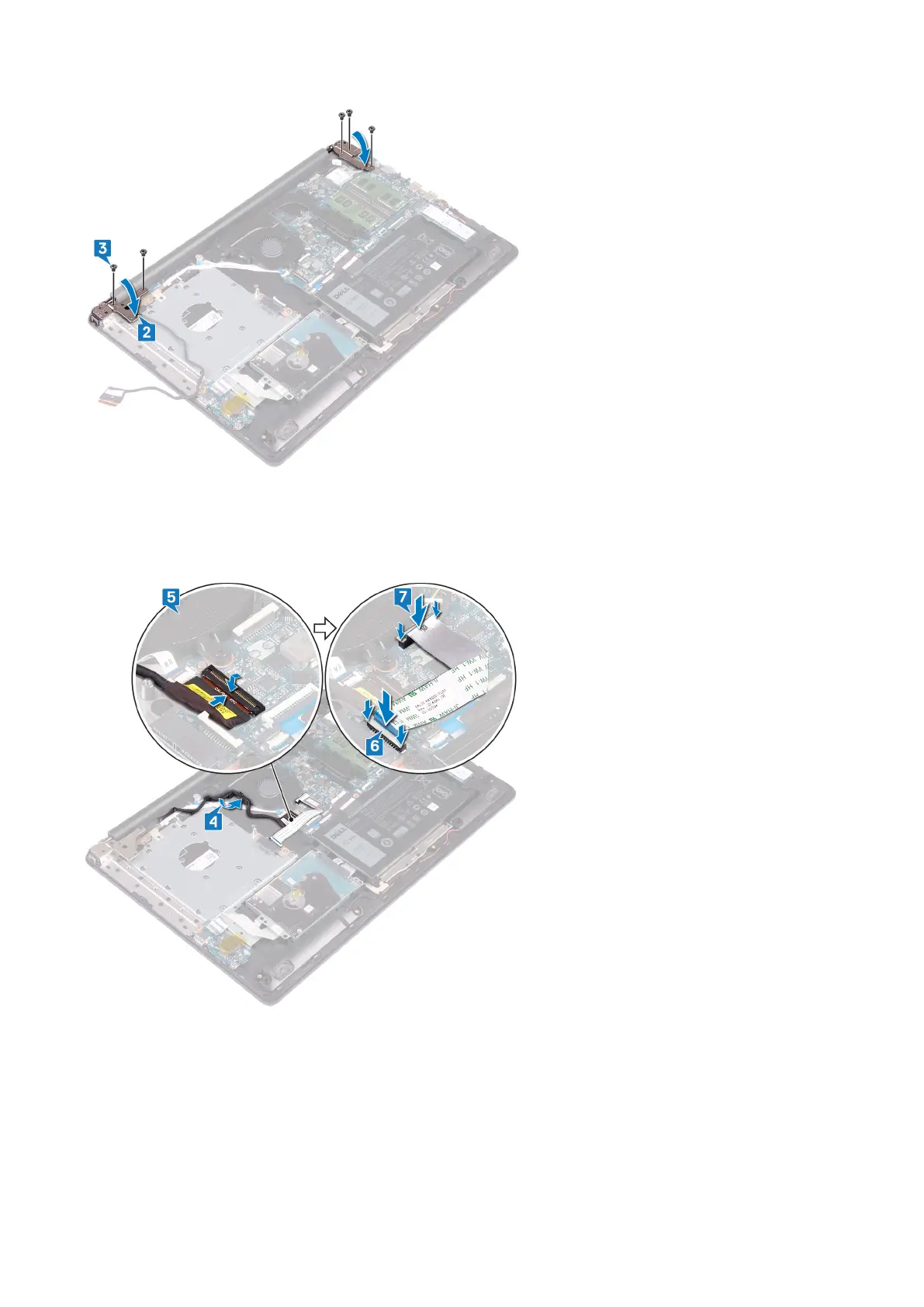
4. Route the display cable through the routing guides on the fan and the palm rest and keyboard assembly.
5. Slide the display cable to the connector on the system board and close the latch to secure the cable.
6. Press down on the latch to connect the optical-drive connector board cable to the optical-drive connector board.
7. Press down on the latch to connect the optical-drive connector board cable to the system board.
Post-requisites
1. Replace the wireless card.
2. Replace the base cover.
3. Replace the optical drive.
68
Replacing the display assembly



 To Next Page