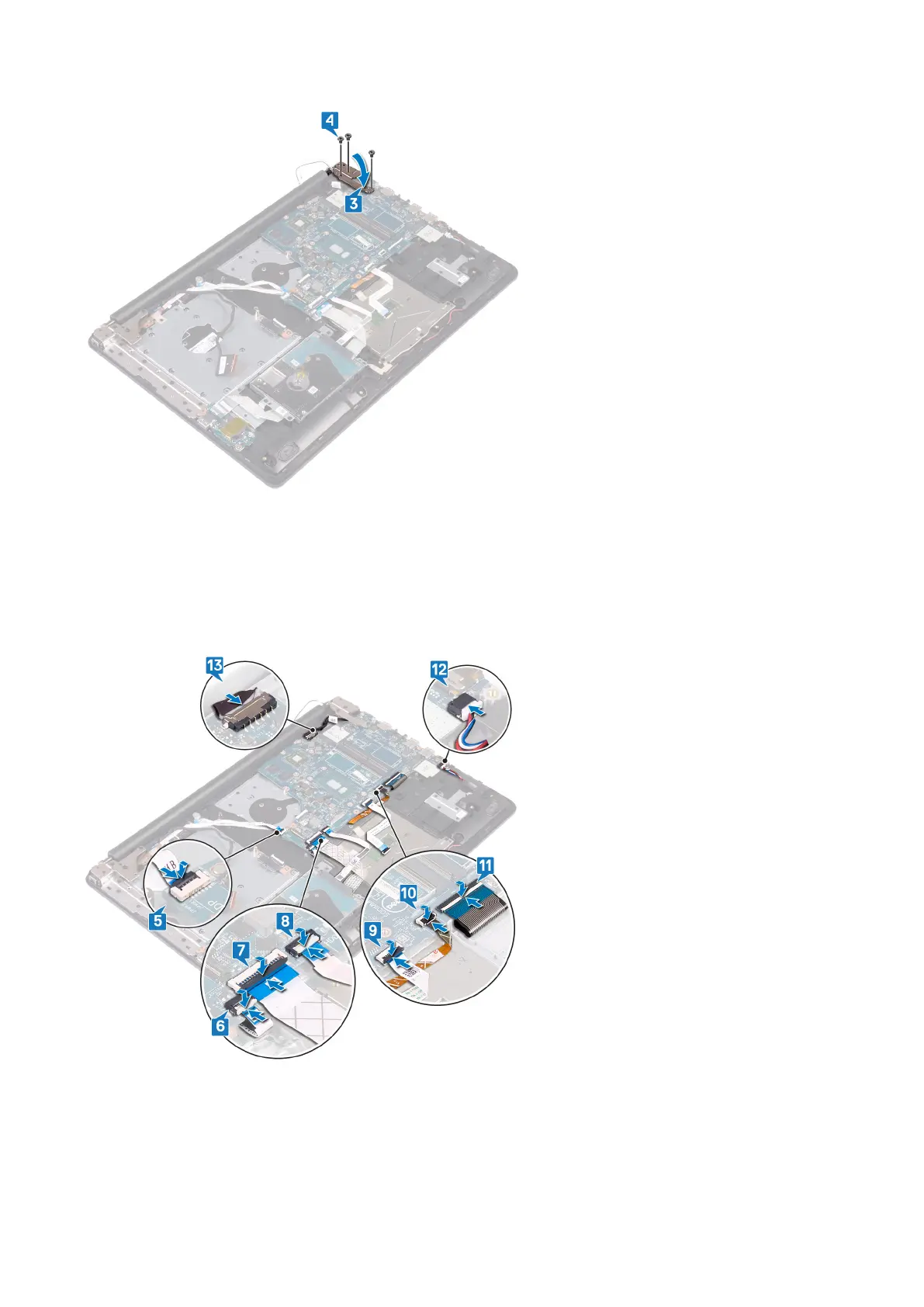
5. Connect the power-adapter port cable and speaker cable to the system board.
6. Slide the keyboard back-light cable and keyboard cable into their respective connectors on the system board and close the
latches.
7. Slide the touchpad cable and hard-drive cable into their respective connectors on the system board and close the latches.
8. Slide the I/O-board cable and finger-print reader cable into their respective connectors on the system board and close the
latch.
9. Slide the power-button board cable into the connector on the system board and close the latch.
Post-requisites
1. Replace the heat sink.
2. Replace the fan.
Replacing the system board
79



 To Next Page