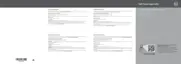
Figure 21. Inside the system—with a cabled power supply
1. control panel 2. cable routing latch
3. power supply unit 4. expansion-card riser connector (2)
5. memory-module socket (B3, B4) 6. processor 2
7. memory-module socket (B1, B2) 8. memory-module socket (A1, A5, A2, A6)
9. processor 1 10. memory-module socket (A3, A7, A4, A8)
11. cooling fan (5) 12. optical drive (optional)
82








 To Next Page