34 Installing Enclosure Components
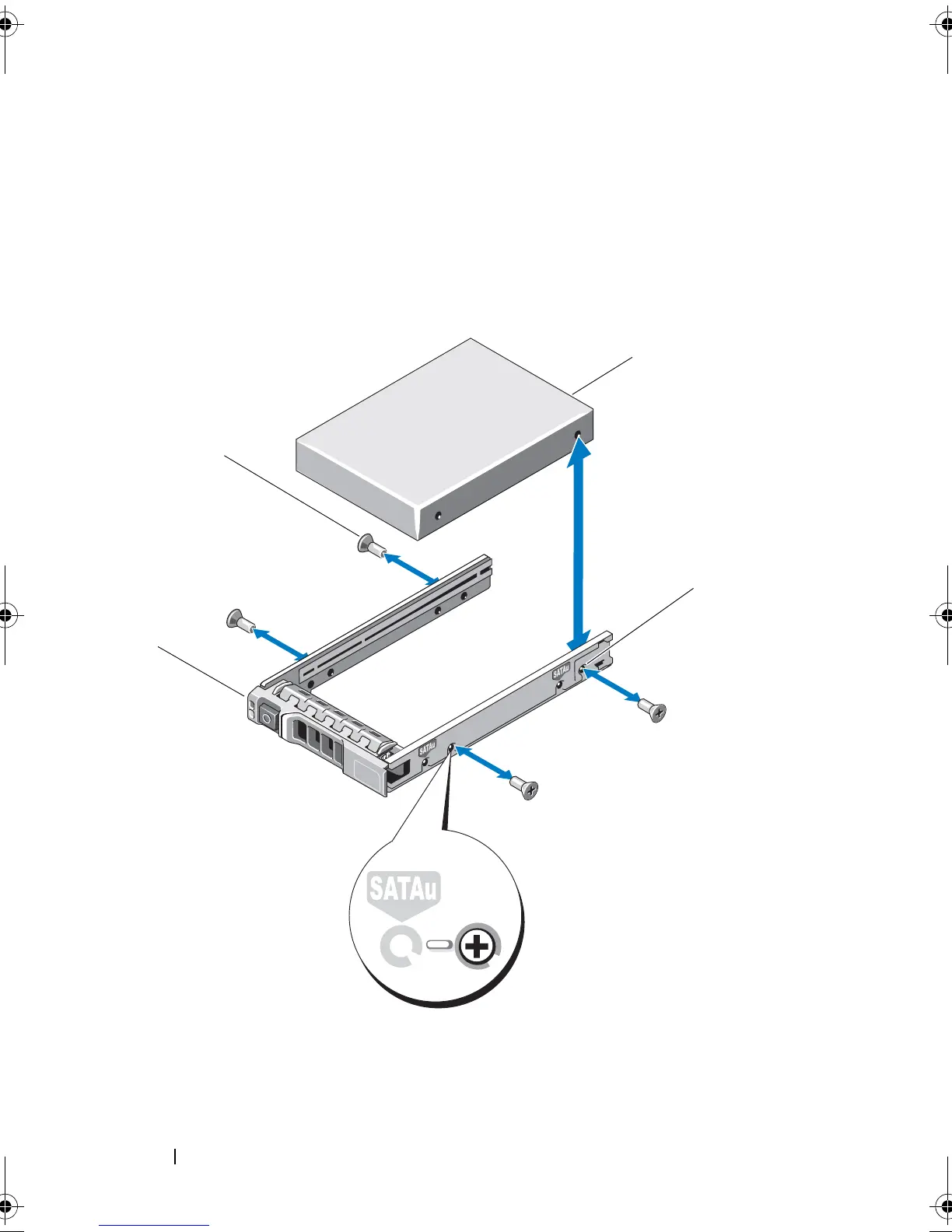
Figure 3-6. Removing and Installing a Hard Drive Into a 2.5-Inch Drive Carrier
1 screws (4) 2 drive carrier
3 SAS screw hole 4 hard drive
1 screws (4) 2 drive carrier
3 SAS screw hole 4 hard drive
book.book Page 34 Monday, December 7, 2009 4:51 PM



 To Next Page