Installing Enclosure Components 33
4
Insert the hard-drive carrier into the drive bay until the carrier contacts the
backplane.
5
Close the handle to lock the drive in place.
Removing a Hard Drive From a Hard-Drive Carrier
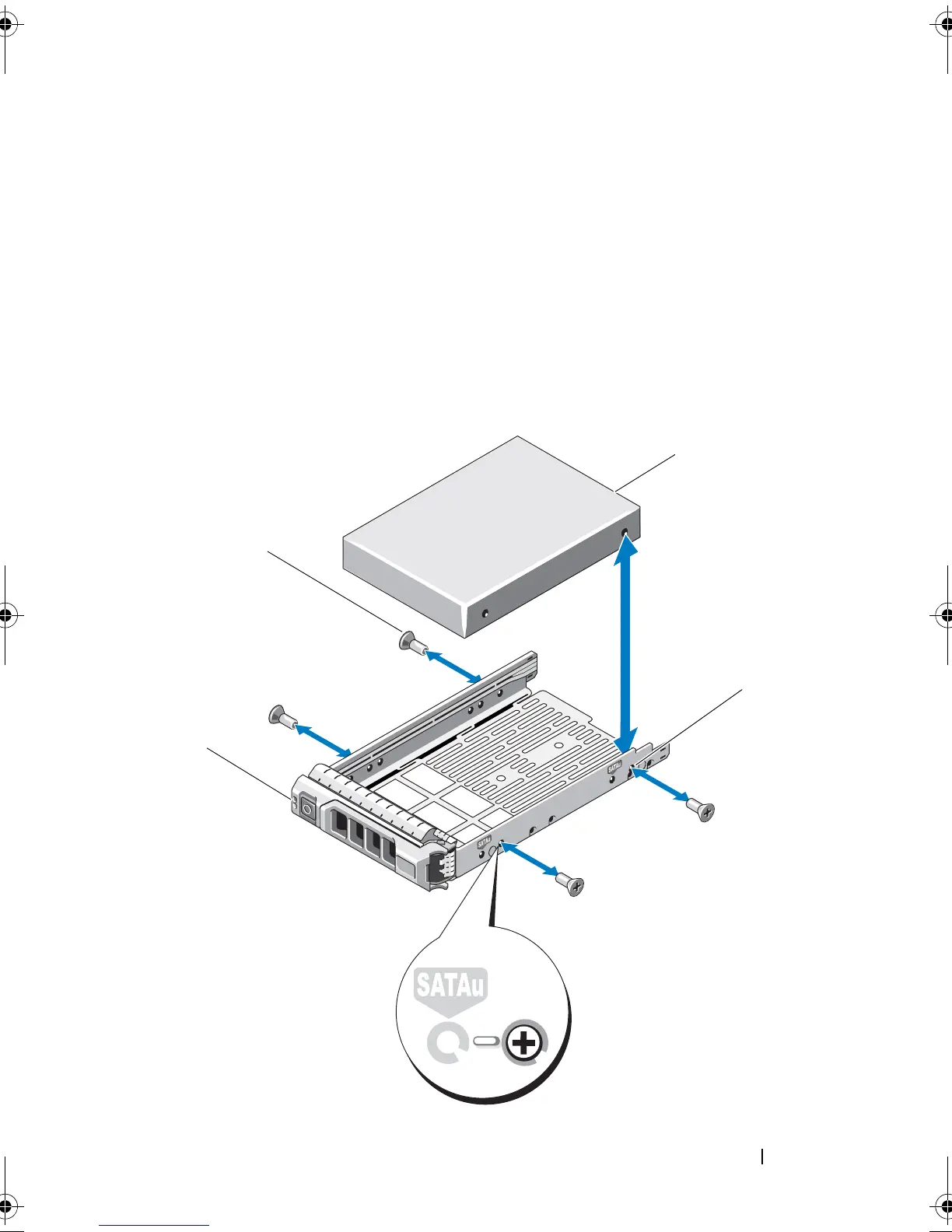
Remove the screws from the slide rails on the hard-drive carrier and separate
the hard drive from the carrier. See
Figure 3-5 for PowerVault MD1200 and
Figure 3-6 for PowerVault MD1220.
Figure 3-5. Removing and Installing a Hard Drive Into a 3.5-Inch Drive Carrier
book.book Page 33 Monday, December 7, 2009 4:51 PM



 To Next Page