40 Installing Enclosure Components
3
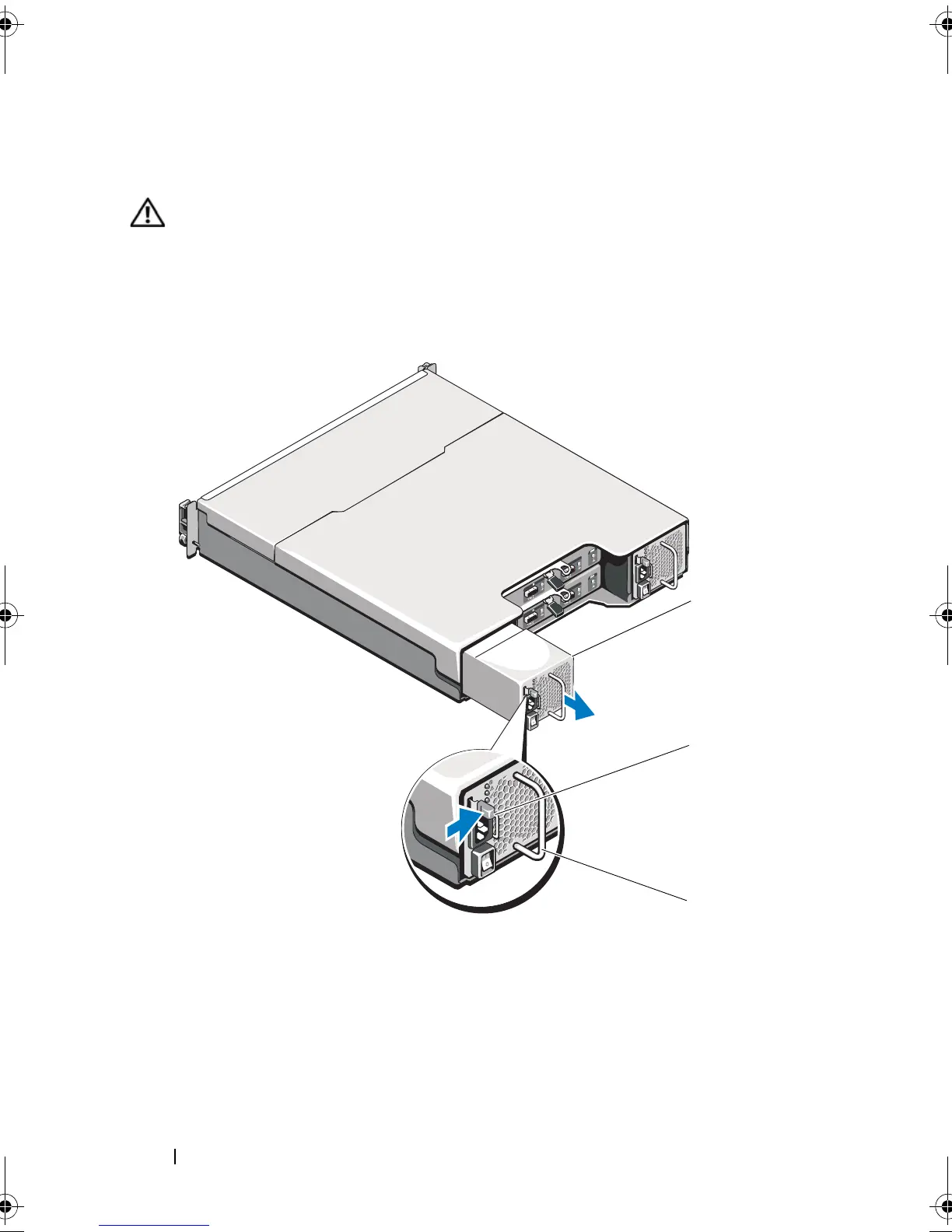
Remove the Velcro straps that secure the power cable and then disconnect
the power cable from the power supply/cooling fan module.
WARNING: The power supply/cooling fan modules are heavy. Use both hands
while removing the module.
4
Press the release tab and pull the power supply out of the chassis.
Figure 3-9. Removing and Installing a Power Supply/Cooling Fan Module
1 power supply 2 release tab
3 power supply handle
book.book Page 40 Monday, December 7, 2009 4:51 PM



 To Next Page