Adding and Replacing Parts 107
Removing and Installing Media Bay Devices
NOTICE: To prevent damage to devices, store them in a safe, dry place when they are not installed in the
computer. Avoid pressing down on them or placing heavy objects on top of them.
NOTE: If the device security screw is not installed, you can remove and install devices while the computer is
running and connected to a docking device (docked).
1
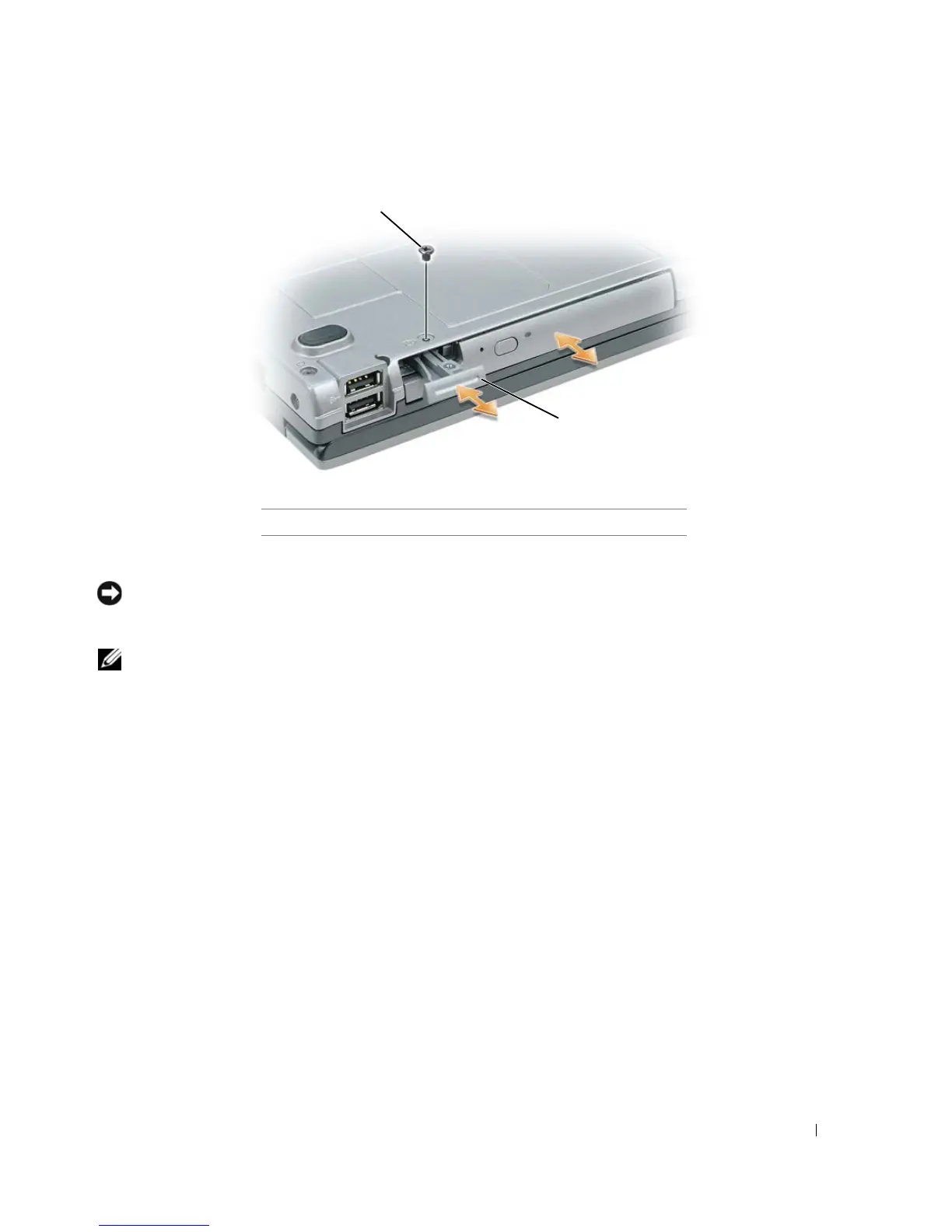
If present, remove the device security screw from the bottom of the computer (see "Removing the
Device Security Screw" on page 106).
2
If the computer is running, double-click the
Safely Remove Hardware
icon on the taskbar, click the
device you want to eject, and click
Stop
.
3
Press the device latch release.
4
Pull the device out of the media bay.
1 device security screw 2 device latch release
1
2















 To Next Page