Setting Up and Using Networks 51
Setting Up and Using Networks
Connecting a Network or Broadband Modem Cable
Before you connect your computer to a network, the computer must have a network adapter installed
and a network cable connected to it.
1
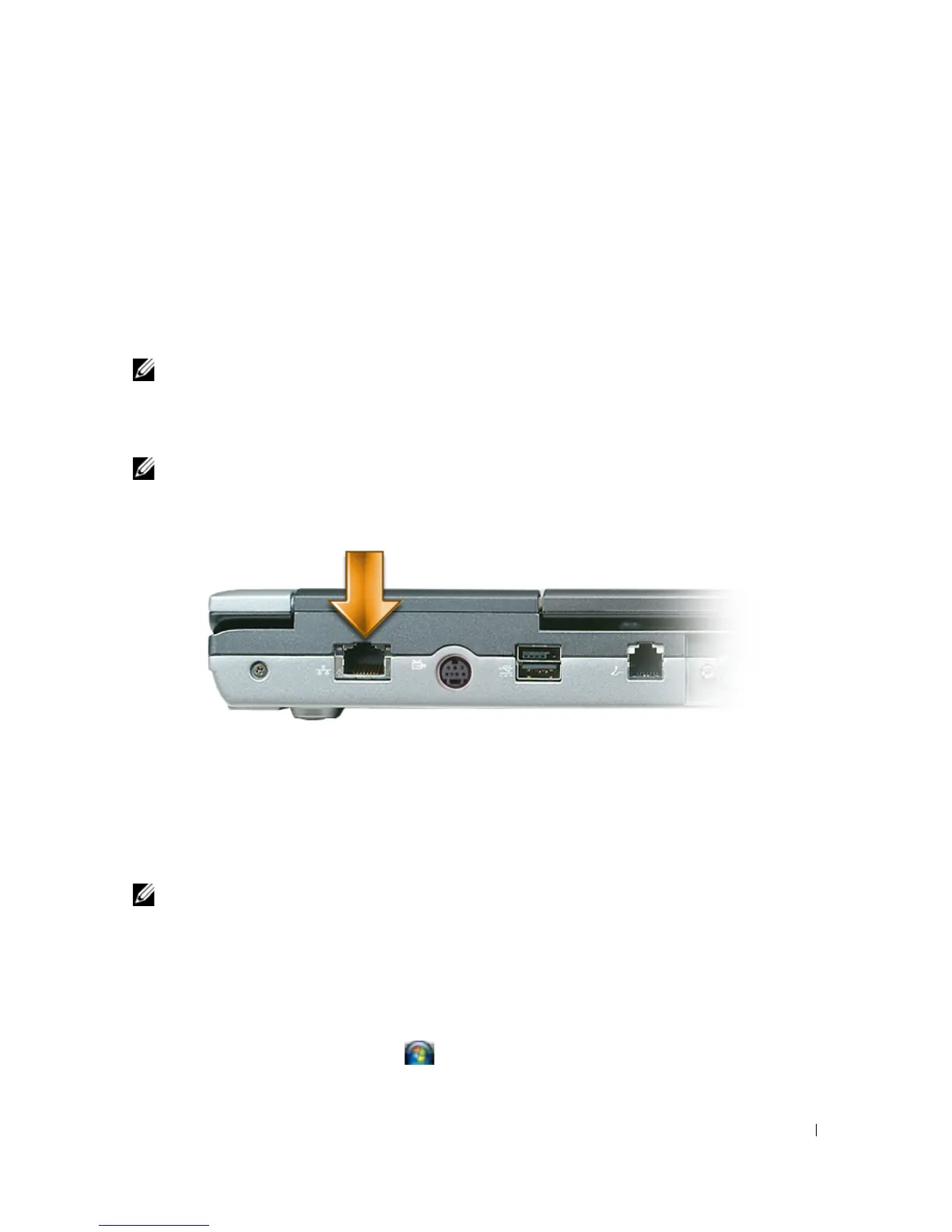
Connect the network cable to the network adapter connector on the back of your computer.
NOTE: Insert the cable connector until it clicks into place, and then gently pull the cable to ensure that it is
securely attached.
2
Connect the other end of the network cable to a network connection device or a network wall
connector.
NOTE: Do not use a network cable with a telephone wall connector.
Setting Up a Network in Microsoft Windows XP
1
Click
Start
→
All Programs
→
Accessories
→
Communications
→
Network Setup Wizard
→
Next
→
Checklist for creating a network
.
NOTE: Selecting the connection method labeled This computer connects directly to the Internet enables the
integrated firewall provided with Windows XP Service Pack 2 (SP2).
2
Complete the checklist.
3
Return to the Network Setup Wizard and follow the instructions in the wizard.
Setting Up a Network in Microsoft Windows Vista
1
Click the Windows Vista Start button
→
Connect To
→
Set up a connection or network
.















 To Next Page